

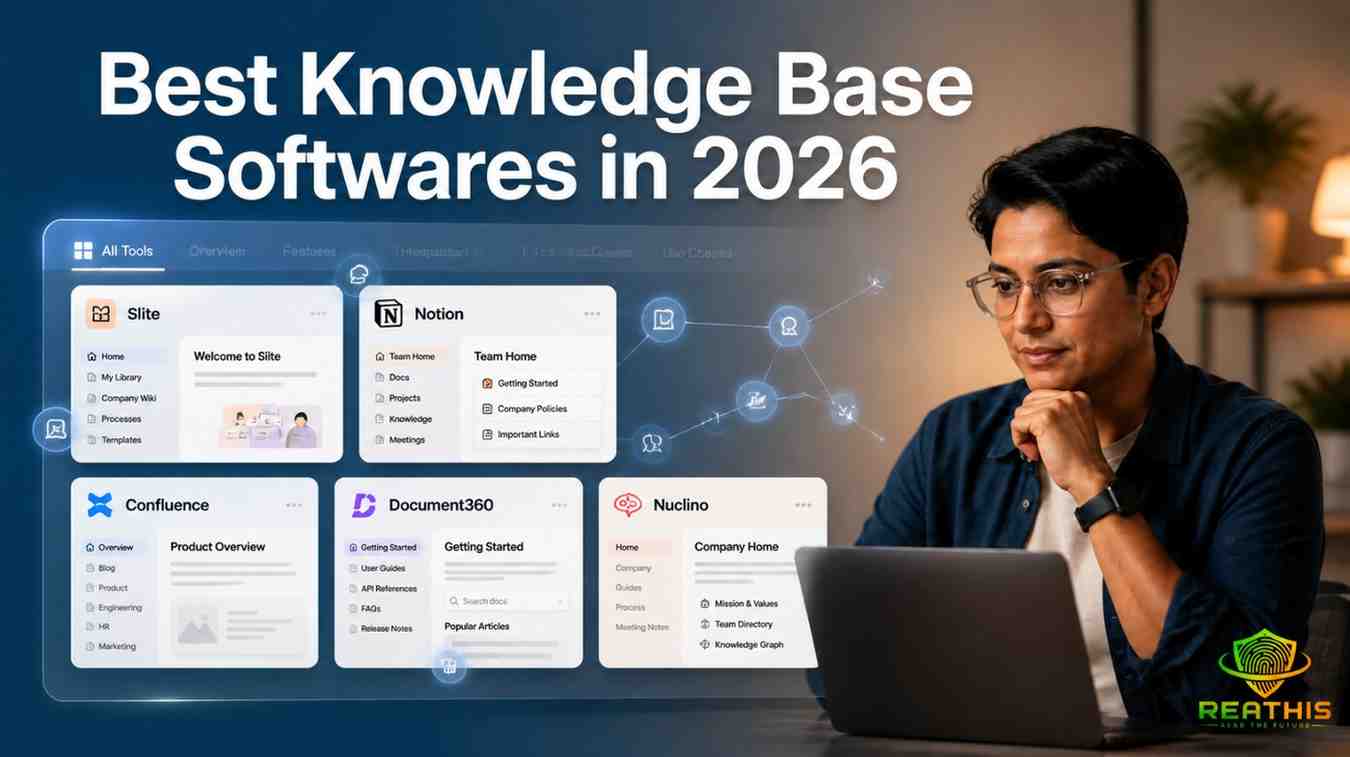
Most growing companies eventually discover that workplace knowledge becomes impossible to manage without the right knowledge base softwares. Information gets buried across Slack messages, Google Docs, meetings, project tools, and scattered internal notes, forcing employees to waste hours searching for answers that should be easy to find. From slow onboarding and repeated employee questions to remote-work communication problems and AI-driven information overload, modern businesses now rely on knowledge management systems to organize internal documentation, improve collaboration, and create a reliable single source of truth.
Customer support tickets pile up because the answers exist somewhere—but nobody can find them. This isn’t a people problem. It’s a knowledge management problem. And the solution is knowledge base softwares that actually work in 2026.
After testing dozens of platforms and interviewing workspace technology leaders at companies ranging from 15-person startups to 5,000-employee enterprises, I’ve seen what separates knowledge base tools that teams actually use from those that become digital graveyards. The difference isn’t feature count—it’s whether the platform solves real workplace friction while integrating into existing workflows.
Here’s what actually matters when evaluating knowledge base softwares, plus a detailed breakdown of the best platforms available this year.
Why Companies Need Knowledge Base Softwares
| Common Workplace Problem | Business Impact |
|---|---|
| Information scattered across tools | Employees waste time searching |
| Repeated employee questions | Managers lose productivity |
| Slow onboarding | New hires take longer to contribute |
| Poor documentation | Knowledge disappears when employees leave |
| Remote communication gaps | Teams miss important context |
The average knowledge worker switches between 10–12 applications daily. Important information fragments across Slack threads, email chains, Notion pages, Google Drive folders, Jira tickets, and meeting notes. One study found that 63% of search problems directly affect workforce potential—meaning employees waste hours daily just finding information that technically exists somewhere.
This fragmentation creates three cascading problems:
Repeated employee questions become a productivity tax. When documentation is hard to find or unreliable, people ask the same questions repeatedly. Support teams answer identical tickets. Managers re-explain processes they’ve explained dozens of times before.
Remote work communication breaks down when knowledge isn’t centralized. As discussed in Virtual Meeting Etiquette, distributed teams struggle when important information is scattered across multiple tools and conversations.Hybrid and distributed teams can’t rely on walking over to someone’s desk. Without a single source of truth, remote employees become second-class citizens who miss context that happens to live in someone’s local notes.
Onboarding becomes painfully slow. New hires spend weeks figuring out where things live, what processes exist, and who knows what. Without structured knowledge base softwares, institutional knowledge walks out the door when people leave.
Productivity issues compound as teams grow. What works for 10 people breaks at 50. What works at 50 collapses at 200. Companies that don’t invest in knowledge management hit a ceiling where communication overhead destroys output.
What Makes a Good Knowledge Base Software
Not all knowledge base platforms are created equal. After evaluating dozens of tools, here’s what actually matters:
AI Search That Actually Works
Modern knowledge base softwares should offer semantic search that understands intent, not just keyword matching. When someone asks “How do I reset a customer’s password?”, the tool should surface the relevant article even if the exact phrase doesn’t appear. Even better: AI assistants that provide sourced answers with citations, so users see exactly which documents back each result.
Integrations That Eliminate Context Switching
Your knowledge base shouldn’t be another place to store files—it should surface knowledge where work happens. Strong integrations with Slack, Google Drive, Linear, GitHub, Notion, and your CRM mean employees find answers without leaving their workflow.
Collaboration Without Chaos
Real-time collaborative editing, @mentions, comments, and version history are table stakes. But the best platforms also include doc verification systems that flag outdated content, stale content detection, and approval workflows to keep knowledge accurate.
Granular Permissions
Enterprise teams need space-level, page-level, and user-group permissions to restrict access to confidential information. Smaller teams need simpler permission models that don’t create administrative overhead.
Analytics That Reveal Gaps
Good analytics show what employees search for, how often they search, what content gets used, and where search fails. This data reveals knowledge gaps you didn’t know existed.
Templates That Reduce Friction
Ready-made templates for employee handbooks, product planning, meeting notes, SOPs, and runbooks help teams get started quickly without creative block.
Scalability That Doesn’t Break
The platform should handle growth without performance degradation. Wiki quality at 100+ employees degrades predictably without a dedicated admin—so the tool should make governance easier, not harder.
User Experience That Drives Adoption
A clean, intuitive interface with minimal learning curve is non-negotiable. If it takes more than a few hours to get up and running, teams abandon it for familiar tools.
Important Features Businesses Should Look For Practical Feature Checklist
When evaluating knowledge base softwares, test these features with real content and real questions:
Features That Sound Good But Often Don’t Deliver
- Perfect AI content generation: Most AI writers produce generic filler that requires heavy editing. Better to have AI that helps find existing content than creates new content from scratch.
- Endless customization: Too much customization creates complexity that kills adoption. The best tools constrain choices to guide teams toward good practices.
- Everything-in-one-place: Tools trying to be knowledge base + project management + CRM + database often do everything mediocrely. Specialized tools often win.
Red Flags When Evaluating Knowledge Base Software
- AI answers without citations or sources.
- Complex setup requiring weeks of configuration.
- Poor search performance.
- Limited integrations with existing tools.
- No version history or content verification.
- Pricing that hides AI features behind expensive add-ons.
How to Evaluate Knowledge Base Software Properly
Step 1: Test With Real Content, Not Demos
Don’t trust sales demos. Set up a free trial with your actual documentation and real questions your team asks. Two factors determine quality:
- Answer accuracy: If the AI hallucinates, it’s more destructive than helpful
- Response time: Fast tools get adopted; slow tools get abandoned because it’s faster to search yourself
Step 2: Measure Ease of Adoption
The learning curve determines whether your team actually uses the tool. Check:
- How long until your first document is published?
- Can non-technical team members edit content?
- Does migration from existing tools (Google Drive, Notion, Confluence) take minutes or weeks?
Step 3: Audit Integration Compatibility
Map your current tech stack. The knowledge base should integrate with:
- Your communication tool (Slack, Teams)
- Your document storage (Google Drive, Dropbox)
- Your project management tool (Linear, Asana, Jira)
- Your CRM (Salesforce, HubSpot)
- Your development tools (GitHub, GitLab)
Step 4: Assess AI Capabilities Honestly
Test AI features with tricky questions:
- Does semantic search understand synonyms?
- Are AI answers sourced with citations?
- Does AI detect outdated content?
- Is AI included in base pricing or an expensive add-on?
Step 5: Calculate Real ROI
Consider:
- Time saved on repeated questions
- Reduced onboarding time
- Fewer support tickets
- Less time searching for information
- Administrative overhead for governance
Many tools charge high prices for basic AI features, making them overpriced relative to value.
Best Knowledge Base Softwares in 2026
This is the core comparison you’ve been waiting for. I’ve tested each platform extensively with real workplace scenarios.
1. Slite
Overview: Slite is an intuitive knowledge base that does one thing right: documentation and knowledge management. It stands out for impeccable AI features, favorite app integrations, and enabling teams to establish a single source of truth by centralizing information across various applications.
Best for: Companies that want a focused, AI-powered knowledge base built purely for documentation and knowledge management.
Core features:
- Collaborative editor with AI built-in
- Document verification system that flags outdated content
- Knowledge management panel showing content health
- 50+ app integrations embedding tasks, Figma frames, Loom videos
- Import from Google Drive, Notion, and Confluence in minutes
AI capabilities:
- Ask Slite AI assistant: Semantic search with sourced answers showing exactly which documents back each result
- Stale content detection AI flags documents needing review or archiving
- Super integration: Cross-tool AI search across Slack, Drive, Linear, GitHub, Notion, Confluence, and 40+ tools
- AI Editor assistant: 50–100 responses/month/user depending on plan
Integrations: Slack, Google Drive, Linear, GitHub, Notion, Confluence, Figma, Loom, Asana, Jira, and 40+ more
Strengths:
- Lightning-fast AI-powered search assistant with sourced answers
- Low learning curve—teams get up and running quickly
- Migration takes minutes with automated folder/page structure mapping
- Intentionally focused on knowledge management without Swiss army knife bloat
Limitations: Intentionally focused on knowledge management, so it won’t replace project management or CRM tools
Pricing overview:
- Standard: $8/member/month (billed yearly) includes AI Search and answers (Ask), document verification, knowledge management panel
- Knowledge Suite: $20/member/month (10 users minimum) bundles Knowledge base + Super enterprise search
- Enterprise: Custom pricing for large organizations
- AI Answers: 30 questions/month/user (Standard) or 100 questions/month/user (Knowledge Suite)
User experience: Clean, minimal interface with fast search. Users on G2 consistently highlight how fast teams get up and running and how much lower the learning curve is compared to Confluence or Notion.
Ideal company size: Growing teams (20–500 employees) to mature enterprises scaling knowledge management
Real-world workplace use case: A 75-person SaaS company had documentation scattered across Google Drive, Notion, and Slack. They imported everything into Slite in 2 hours. Customer support ticket volume dropped 35% within 60 days as employees found answers independently. Onboarding time for new hires decreased from 3 weeks to 10 days.
2. Notion
Overview: Notion is a flexible, all-in-one workspace for teams to collaborate, organize information, and streamline workflows beyond traditional knowledge management. Its blank-slate approach allows users to mold the tool to fit unique needs.
Best for: Teams that want a single tool for knowledge, projects, and databases, and have someone willing to maintain their own structure.
Core features:
- Flexible page and block structure: databases, boards, timelines, galleries, document pages coexist
- Custom database views: same dataset renders as table, Kanban, calendar, or gallery
- Real-time collaborative editing with inline comments, @mentions, version history
- Extensive third-party integrations: Figma, GitHub, Slack, Google Drive, Zapier
AI capabilities:
- Notion AI writing assistant: Paid add-on at $8/user/month on top of plan pricing for drafting, summarizing, translating
- AI-powered content summaries and writing assistance
Integrations: Figma, GitHub, Slack, Google Drive, Zapier, Trello, Google Calendar, and hundreds more via API
Strengths:
- Relational databases with multiple view types—same content rendered differently for different use cases
- Fast adoption for smaller teams due to familiarity and flexibility
- Customizable to almost any workflow
Limitations:
- No built-in content verification or stale content detection
- Wiki quality at 100+ employees degrades predictably without a dedicated admin
- Without a dedicated Notion admin maintaining taxonomy, enforcing page templates, and archiving stale content, wikis become information graveyards
- Notion AI is a separate $8/user/month add-on, changing total cost comparison meaningfully
Pricing overview:
- Personal: Free for individual users
- Team: $8/member/month
- Enterprise: Custom pricing with additional security controls and support
- Notion AI: $8/user/month add-on (separate from plan pricing)
User experience: Intuitive for personal use, but complexity increases as teams build custom structures. Reviews on Capterra reflect a pattern: teams love it early, then find it increasingly hard to maintain as headcount grows.
Ideal company size: Small to mid-sized teams (5–100 employees) with an admin willing to maintain structure
Real-world workplace use case: A 25-person marketing agency uses Notion for knowledge base, project management, and client databases in one workspace. They have one “Notion admin” who enforces page templates and taxonomy. The all-in-one approach works because the team is small enough that governance remains manageable.
3. Confluence
Overview: Confluence is a robust knowledge management platform that has long been a favorite among large enterprises and organizations with complex collaboration needs. Its seamless integration with other Atlassian products is a key strength.
Best for: Organizations already deep in the Atlassian ecosystem where Jira integration is operationally non-negotiable.
Core features:
- Jira integration: Bi-directional linking between Confluence pages and Jira issues—requirements docs live next to tickets they describe
- Spaces and page trees: hierarchical content organization with nested pages, labels, macros
- Granular permission model: space-level, page-level, user-group permissions for enterprise security
- Templates library: hundreds of pre-built page templates for meeting notes, project plans, product specs, runbooks
AI capabilities:
- Atlassian Intelligence: AI-powered writing assistance and content summaries built into editor (Premium and Enterprise plans)
Integrations: Native integration with Jira, Trello, and entire Atlassian ecosystem; also integrates with Slack, Google Drive, Microsoft Teams
Strengths:
- Native bi-directional Jira integration—the only knowledge base where engineering docs and project tickets genuinely coexist in one place
- Enterprise-grade security, governance, and customization
- Scales well for large organizations with complex permission needs
Limitations:
- Dated editor experience compared to modern alternatives
- Persistent adoption challenges reported across the board
- Page sprawl without active governance is a well-documented failure mode at scale
- G2 reviews consistently surface adoption as the top complaint
Pricing overview:
- Standard: $5.50/user/month includes core knowledge management and collaboration features
- Premium: Higher tier with additional functionality and administrative controls
- Enterprise: Custom pricing for large organizations with advanced requirements
User experience: Functional but dated compared to modern tools. The learning curve is steeper, and teams often struggle with adoption unless there’s strong executive mandate.
Ideal company size: Large enterprises (200+ employees) already invested in Atlassian suite
Real-world workplace use case: A 1,200-person software company uses Confluence because engineering teams already live in Jira. Requirements documentation, runbooks, and system architecture docs link directly to Jira tickets. The integration is operationally essential—moving to another tool would break engineering workflow.
4. Document360
Overview: Document360 is dedicated AI-powered knowledge base software with an intuitive interface that helps create both public and private knowledge bases. It’s more suitable for organizations prioritizing customer support than internal knowledge management.
Best for: Organizations that prioritize customer-facing knowledge bases with strong content organization and AI-assisted search.
Core features:
- Category manager for efficient content organization and categorization
- Version control tracking article changes with ability to revert
- Key insights into user interaction identifying content gaps and search trends
- Markdown or WYSIWYG editor with support for images, videos, code snippets
AI capabilities:
- AI Search: Helps customers and agents find answers in seconds
- Ask Eddy AI assistant: Instantly answers complex questions; also assists with writing
- AI Summarization and Auto Content Generation
Integrations: Integrates with help desks, CRMs, chatbots, and support platforms
Strengths:
- “Ask Eddy” AI assistant answers complex questions instantly
- Strong content organization with category management
- Suitable for both internal and customer-facing knowledge bases
Limitations:
- Custom pricing implies it might be pricey for smaller organizations
- More suitable for customer support use cases than internal knowledge management
- Pricing is sales-led with no self-serve paid plan listed as of 2026
Pricing overview:
- Free tier: Available with no credit card required, limited usage
- Professional: Pricing not publicly disclosed (sales-led)
- Enterprise: Custom pricing negotiated with sales team, dedicated account manager, SLA commitments, volume discounts
- Free trial available
User experience: Intuitive interface with powerful content organization. Adapts to needs of smaller and larger organizations but cost may be prohibitive for small budgets.
Ideal company size: Mid-sized to large organizations (50–1,000 employees) prioritizing customer support
Real-world workplace use case: A 150-person e-commerce company uses Document360 for customer-facing help center. AI Search reduces support ticket volume by 40% as customers find answers independently. The customer portal uses custom branding matching their website.
5. Nuclino
Overview: Nuclino is an all-in-one intuitive and modern platform combining knowledge base, project management, and document collaboration to reduce context switching. Its standout feature is Graph View showing how content pieces interconnect.
Best for: Small to medium-sized businesses seeking an all-in-one tool merging knowledge management, project management, and document collaboration.
Core features:
- AI-powered search with lightning-fast results and flexible filters
- Multiple views: List, Board (Kanban), Table, and Graph
- Built-in canvas for whiteboards and diagrams
- Cross-platform availability: browser, desktop, mobile
- Export all knowledge base data in various formats anytime
AI capabilities:
- Sidekick AI assistant: Drafting, summarizing, and image generation
- AI-powered search with flexible filters
- Ask questions getting instant answers based on Nuclino content
- Draft and edit: create concise summaries, extract action items, fix errors
- Generate images: 2D, 3D, abstract, photorealistic
Integrations: Slack, Google Drive, GitHub, Figma, Trello, and more
Strengths:
- ‘Graph View’ shows how different content pieces relate, simplifying information retrieval with visual knowledge base
- Multiple view types cover every task and workflow
- Real-time collaboration like Google Docs
- Fast search finding documents instantly
Limitations:
- Guest users count toward billing, which can get expensive for teams frequently collaborating with external partners
- Limited scalability and customization—large enterprises may not benefit as much
- Free version is very limited (up to 50 items, 3 canvases, 2GB total storage)
Pricing overview:
- Free: $0/user/month—up to 50 items, 3 canvases, 2GB total storage, real-time collaboration, all view types, integrations, API, basic permissions
- Starter: ≈$6/user/month (paid annually)—unlimited items and canvases, admin tools, publishing, 30-day version history, 10GB storage per user
- Business: ≈$10/user/month—adds Sidekick AI, audit log, team insights, advanced security, SAML SSO, custom publishing domain, unlimited version history, 20GB storage per user, priority support
User experience: Modern, clean interface with visual Graph View. Lightweight with real-time collaboration that feels fast.
Ideal company size: Small to medium-sized businesses (10–200 employees)
Real-world workplace use case: A 45-person product team uses Nuclino’s Graph View for employee policies. HR creates a graph for “Employee Policies” linking leave policies, remote-work policies, training programs, and compensation policies to main hub. Visual connections help new hires understand how policies relate.
Comparison Table: Knowledge Base Softwares at a Glance
Workplace Case Study: How a 60-Person SaaS Company Fixed Documentation Chaos
The Problem
TechFlow, a 60-person B2B SaaS company, hit a wall. Their documentation lived across:
- 47 Google Drive folders with inconsistent naming
- 12 Notion pages nobody maintained
- Slack threads with critical decisions buried in search
- 3 outdated Confluence spaces from a previous tool
New hires spent 4 weeks figuring out where things lived. Support answered the same 15 questions daily. Product managers couldn’t find old spec documents. The engineering team maintained runbooks in LOCAL markdown files that nobody else could access.
CEO Sarah Chen said: “We were losing 15–20 hours per employee per week just searching for information. Our onboarding was broken. Support was drowning in repetitive tickets.”
The Switch
After evaluating Slite, Notion, and Confluence, TechFlow chose Slite because:
- Migration from Google Drive and Notion took 2 hours with automated import
- AI Search with sourced answers meant employees trusted results
- Low learning curve meant the team started using it immediately
- Document verification system flagged outdated content automatically
They imported:
- 340 Google Docs into Slite pages
- 28 Notion pages with formatting preserved
- 150 Slack threads with critical decisions
- All employee handbook content
The Results (After 90 Days)
| Metric | Before | After | Improvement |
|---|---|---|---|
| Onboarding time | 4 weeks | 12 days | 43% faster |
| Support tickets (repetitive questions) | 180/month | 98/month | 46% reduction |
| Time searching for information | 3.2 hrs/week/employee | 52 mins/week/employee | 73% reduction |
| Employee satisfaction (documentation) | 2.1/5 | 4.3/5 | 105% increase |
| Outdated content | 37% of docs | 4% of docs | 89% reduction |
Customer Support Lead Marcus Rodriguez noted: “Before, I’d spend 2 hours daily answering ‘How do I reset a password?’ Now that article gets 40 self-serve views daily. My team focuses on complex issues instead.”
Product Manager Jennifer Wu added: “The AI Search actually understands what I’m asking. I type ‘refund workflow’ and it finds the SOP even though the title says ‘return process.’ That semantic search is game-changing.”
The Key Success Factors
- Executive mandate: CEO required all new documentation in Slite
- Designated owner: VP of Operations owned knowledge governance
- Migration speed: 2-hour import meant no friction starting
- AI trust: Sourced answers meant employees trusted results
- Stale content detection: AI flagged outdated docs automatically
Common Mistakes Companies Make When Choosing Tools
- Choosing based on feature count alone: More features often mean more complexity and lower adoption. Focus on solving your specific pain points.
- Ignoring learning curve: If the tool takes weeks to learn, your team will abandon it. Test ease of adoption before committing.
- Not testing with real content: Sales demos use perfect data. Test with your actual documentation and real questions your team asks.
- Underestimating governance needs: Without someone owning taxonomy, templates, and archiving, wikis become information graveyards.
- Overlooking AI costs: Many tools charge high prices for basic AI features as add-ons. Calculate total cost including AI.
- Ignoring integrations: A knowledge base that doesn’t integrate with Slack, Drive, and your workflow becomes another silo.
- Purchasing for enterprise when you’re a startup: Enterprise tools have overhead that kills agility for small teams.
- Not planning for customer-facing use: If you need both internal and external KBs, ensure the tool supports both.
- Buying based on brand name alone: Popular tools aren’t always the right fit for your specific needs.
- Skipping the trial period: Run a structured trial with real content before purchasing.
Practical Advice Before Choosing a Provider
Startup vs. Enterprise Needs
Startups (5–50 employees) need:
- Fast setup and immediate adoption
- Simple permission models
- Affordable pricing without per-seat bloat
- Tools that don’t require dedicated admin
Best picks: Slite (Standard plan), Notion (Team plan), Nuclino (Starter)
Enterprises (200+ employees) need:
- Granular permissions and security controls
- SAML SSO and audit logs
- Scalability without performance degradation
- Dedicated account manager and SLA
Best picks: Confluence (Premium/Enterprise), Slite (Enterprise), Zendesk (Suite Enterprise)
Remote Team Considerations
For distributed teams, prioritize:
- Asynchronous collaboration features
- Time-zone-friendly notification settings
- Mobile responsiveness for on-the-go access
- Search that works across all integrated tools
Scalability Planning
Ask:
- What happens at 100 employees? 500? 1,000?
- Does the tool handle increased content volume without slowdown?
- Will governance become overwhelming as headcount grows?
- Can you export data if you need to migrate later?
Documentation Culture Matters More Than Tools
The best tool won’t fix a broken documentation culture. Before purchasing:
- Get executive buy-in requiring documentation in the new system
- Designate an owner for knowledge governance
- Create templates and enforce consistency
- Schedule regular content audits
- Celebrate quick wins to build momentum
Budget Considerations
Hidden costs to factor in:
- AI add-ons (Notion AI: $8/user/month)
- Guest user billing (Nuclino counts guests)
- Migration time and potential consulting fees
- Training and onboarding for team members
- Admin overhead for governance
- Storage overage fees
Rule of thumb: Budget 20–30% above the base subscription price for implementation and ongoing management.
FAQs on knowledge base Software
The most reliable method is running a structured trial with real content and real questions. Two factors determine quality: answer accuracy (if it hallucinates, it’s more destructive than helpful) and response time (fast tools get adopted, slow tools get abandoned).
Internal knowledge bases help employees find processes, policies, and company information. External knowledge bases are public-facing and used by customers for FAQs and self-service support. Some tools like Document360 support both; others like Slite focus on internal use.
Pricing varies based on features and team size. Many tools offer free tiers for evaluation. Standard plans range from $6–$12/user/month, while enterprise plans with advanced features range from $30–$150/user/month.
Yes, most platforms integrate with CRMs, HRIS, helpdesks, Slack, Google Drive, and collaboration apps. This lets teams pull in data, automate workflows, and connect information between systems.
Involve teams in setup, offer training, make the platform easy to use, highlight quick wins, and ask for feedback so employees see real value in using it daily. Executive mandate helps—requiring documentation in the new system accelerates adoption.
Conclusion
Choosing knowledge base softwares isn’t about finding the tool with the most features. It’s about selecting a solution your team will actually use, keeping it updated and relevant so people trust the content, and solving the actual workplace friction you’re experiencing.
The companies winning at knowledge management in 2026 share three traits:
First, they prioritize tools with low learning curves and fast adoption. If it takes weeks to get up and running, teams abandon it.
Second, they invest in AI features that actually work—semantic search with sourced answers, stale content detection, and cross-tool search that surfaces knowledge where work happens.
Third, they accept that governance matters. Even the best tool becomes an information graveyard without someone owning taxonomy, templates, and content audits.
For most growing companies, Slite stands out as the best balance of focused functionality, AI capabilities, and ease of use. It’s cheaper, secure, accurate, scalable, and best in what it offers without being a Swiss army knife that does everything but mediocrely.
For teams already deep in Atlassian, Confluence remains the only choice where engineering docs and Jira tickets genuinely coexist. For small teams wanting all-in-one workspace, Notion works if you have an admin willing to maintain structure.
The worst thing you can do is nothing. Every day without a centralized knowledge base is another day of lost productivity, frustrated employees, and institutional knowledge walking out the door when people leave.
Start with a trial. Import your actual content. Test with real questions. If the tool saves your team even 30 minutes per person per week, it pays for itself many times over.
Your future self—and your new hires—will thank you.



Leave a Reply