
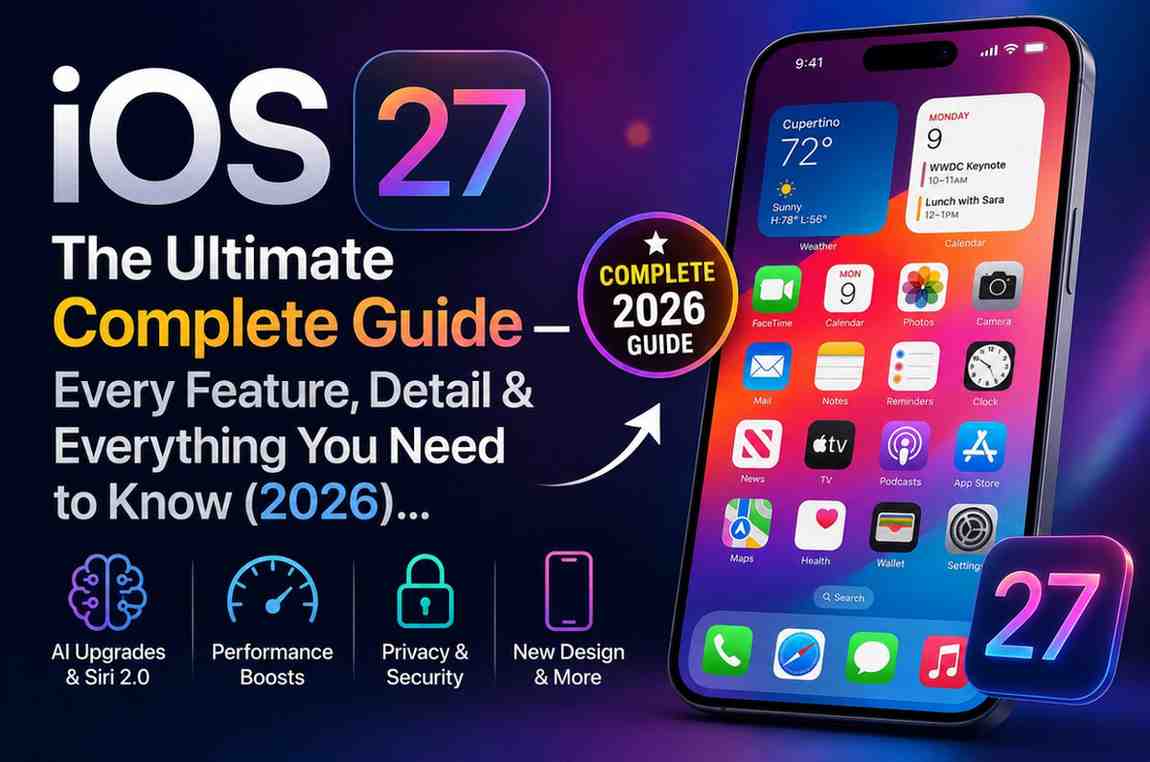
iOS 27 is Apple’s latest iPhone software update, bringing major Apple Intelligence enhancements, a smarter Siri, AI-powered productivity tools, performance improvements, and privacy-focused features. The update focuses on making iPhones faster, more intelligent, and more efficient while maintaining Apple’s commitment to on-device security and user privacy.
This guide covers iOS 27 release information, supported devices, new features, AI upgrades, design changes, performance improvements, accessibility enhancements, and everything users need to know before upgrading.
Apple unveiled iOS 27 at WWDC 2026 on June 8, and it is shaping up to be one of the most significant iPhone software updates in years. From a next-generation AI-powered Siri and sweeping performance boosts to refined visuals and expanded child safety tools, iOS 27 touches almost every corner of the iPhone experience. Whether you own the latest iPhone 17 or an older iPhone 11, this guide covers everything — release dates, every new feature, supported devices, hidden tricks, expert opinions, and a full FAQ.
1. Release Information & Timeline
| Milestone | Date |
|---|---|
| Announcement (WWDC 2026 Keynote) | June 8, 2026 |
| Developer Beta 1 Released | June 8, 2026 (same day as keynote) |
| Public Beta | Mid-July 2026 (via Apple Beta Software Program) |
| Release Candidate / GM | Expected early September 2026 |
| Official Stable Release | Mid-September 2026 (alongside iPhone 17 launch) |
| Projected Launch Day | Around September 14, 2026 |
- Is it free? Yes. Like all iOS updates, iOS 27 is completely free for supported devices.
- Current status (as of June 2026): Developer Beta 1 only. No stable version available yet.
- Latest build: 24A5355q (Developer Beta 1, released June 8, 2026).
- Subsequent updates will follow as iOS 27.0.1, iOS 27.1, iOS 27.2, etc., through late 2026 and into 2027.
2. Quick Summary — What Is iOS 27 About?
iOS 27 is Apple’s 2026 iPhone operating system, and its core themes are:
AI & Apple Intelligence — This is the most AI-focused iOS update ever. A next-generation Siri powered by on-device machine learning now understands context across your apps, answers questions about what is on your screen, and can leverage ChatGPT or Google Gemini as alternative AI backends. Writing tools, image generation, and smart suggestions are available system-wide.
Performance — Apps launch up to 30% faster. Photos open 70% faster after being taken. AirDrop is up to 80% faster. A new CPU scheduling system makes even older supported iPhones feel snappier.
Design Refinement — iOS 26 introduced Liquid Glass. iOS 27 lets you customize it with a new slider. App icons are redrawn to be sharper and more three-dimensional. New keyboard and notification animations add polish.
Privacy & Child Safety — On-device AI keeps your data private. New parental controls, an “Ask to Browse” feature for children, and expanded Communication Safety give families more powerful tools.
Accessibility — VoiceOver, Voice Control, Magnifier, and Generated Subtitles all receive major AI-powered upgrades.
3. Design Changes — Liquid Glass & UI Refinements
Liquid Glass Customization Slider
The biggest visual change in iOS 27 is a new slider in Settings that lets you adjust the Liquid Glass transparency level from fully clear to fully tinted. This affects notifications, app backgrounds, and the overall system aesthetic. In iOS 26, the Liquid Glass effect was fixed; iOS 27 hands control to the user.
Sharper, More Defined App Icons
App icons have been completely redrawn with extra refractive layers, making them appear clearer, sharper, and more three-dimensional. The Mail app, for example, shows noticeably higher contrast and detail in its UI elements and tab bar.
Home Screen Undo / Redo
When customizing your Home Screen — rearranging icons, adding or removing widgets — you can now undo and redo changes. Apple demonstrated this feature during the WWDC keynote, where users can reverse layout edits with a keyboard shortcut or gesture.
New Notification Animation
Notifications in iOS 27 slide in from the left side of the screen rather than dropping from the top, making them less obtrusive during use.
Keyboard Animation
The on-screen keyboard now animates its keys rising from the bottom of the screen when activated, adding a subtle but polished feel to the typing experience.
Wallpaper Tint (Hidden)
Early betas hint at a separate control for adjusting wallpaper blur and tint independently from the Liquid Glass slider — a hidden feature discovered by developers.
Safari Home Page Redesign
Safari’s start page is reorganized into four distinct tabs: Favorites, Bookmarks, Reading List, and History. This replaces the single scrolling page layout from iOS 26 and makes navigation much cleaner.
Search Reintegrated into Tab Bar
In apps like Music, Podcasts, and TV, the search function is reintegrated directly into the tab bar, undoing the split layout that was introduced in iOS 26.
Weather — New Conditions Panel
The Weather app gains a new Conditions panel that lets users quickly toggle between temperature, rain, and wind views without navigating deeper into the app.
Overall Animations
Beyond the specific additions above, iOS 27 delivers subtly smoother animations throughout — app launches, multitasking transitions, and Control Center — thanks largely to the underlying performance improvements.
4. Apple Intelligence — AI Features Overview
Apple Intelligence is Apple’s umbrella term for all on-device AI and machine learning capabilities. iOS 27 represents the most ambitious expansion of Apple Intelligence to date.
Device Requirements for Apple Intelligence
Not every iOS 27 device gets Apple Intelligence features. You need:
- iPhone 15 Pro / Pro Max or newer
- iPhone 16 series (all models)
- iPhone 17 series (all models)
- iPad with M1 chip or newer
Owners of iPhone 15 (non-Pro), iPhone 14, 13, 12, or 11 can install iOS 27 and get the performance and design improvements, but the advanced AI features will not run on these devices.
Key Apple Intelligence Features in iOS 27
Siri AI (Next-Gen Siri) — A completely reimagined assistant with contextual understanding across all your apps. See Section 5 for full details.
Image Playground — An AI image generation tool built into iOS. Users can generate pictures with text prompts in a variety of styles. Apple has expanded the available styles in iOS 27 and notes daily usage limits to prevent abuse. The Image Playground app is directly accessible from several apps.
Spatial Reframing — An AI photo editing tool in the Photos app that analyzes a photo’s 3D depth information and allows you to recrop it with a shifted perspective, producing a result that looks naturally reframed rather than simply cropped.
Extend — Another AI photo tool that intelligently fills in content beyond the original edges of a photo, effectively expanding the scene. Similar to generative fill features seen in other apps, but running on-device.
Enhance — An auto-improvement tool that analyzes lighting, color balance, and quality and applies corrections intelligently.
Upgraded Clean Up — The existing object-removal brush in Photos is powered by significantly better generative AI for more seamless, realistic infill when removing unwanted objects from photos.
System-wide Writing Tools — “Write with Siri” lets Siri compose, edit, rewrite, and correct text in any app where you can type — Mail, Notes, Messages, and beyond. This was introduced in iOS 26 and is expanded in iOS 27.
Smart Dictation — A new system-wide dictation experience that automatically removes filler words like “um” and “uh” and correctly inserts punctuation, making speech-to-text significantly cleaner.
Intelligent Translations — On-device translation in Messages and FaceTime, now available in more languages. Notifications and Spotlight search also benefit from smarter, AI-rebuilt indexing.
Third-Party AI Integration — A major new policy: Apple allows third-party AI engines to power Siri and other Apple Intelligence features. Users can select ChatGPT or Google Gemini as the backend for Siri, Writing Tools, and image generation. This “Siri Extensions” model means you can have ChatGPT answer Siri’s queries by default, with your permission.
Privacy Architecture — All Apple Intelligence processing is either done on-device or uses Apple’s secure cloud processing with end-to-end encryption. Apple explicitly states that no personal data is stored or accessed by Apple when using AI services. Users can opt out of sharing Siri audio with Apple and can review or delete Siri conversation history.
Language & Region Limitations — At launch, Siri AI supports around 20 languages including English, major European languages, Chinese, Japanese, and Korean. However, Siri AI on iPhone and iPad is delayed in the EU due to Digital Markets Act compliance and is not available in China at launch. The initial rollout focuses on English in the US, UK, Canada, and Australia.
5. Siri Upgrades
iOS 27 gives Siri the biggest overhaul in the assistant’s history.
New Architecture — On-Device Intelligence
Siri now runs on the Apple Intelligence framework, powered by on-device machine learning models. For complex queries or tasks requiring the wider world’s knowledge, it can leverage Apple’s secure cloud infrastructure or, with the user’s permission, ChatGPT or Google Gemini.
Contextual & Cross-App Understanding
Siri can now pull information from across your apps — your photos, messages, emails, calendar — to answer questions and take action. For example, you can say “What was the hotel Jane mentioned?” and Siri searches your Messages and Mail to find the answer. This contextual access only happens on-device or via encrypted iCloud.
Screen Awareness
Siri can read and respond to whatever is currently on your screen. You can tap Siri and ask about something visible in any app, document, or image. This extends to the camera — point your iPhone at an object and ask Siri what it is, read a nutrition label for calorie information, or identify text in a foreign language.
Dedicated Siri App
iOS 27 includes a standalone Siri app that acts as a chat interface, saving your conversation history to iCloud. You can scroll back through past Siri conversations, continue where you left off, or start new sessions. This is a fundamental shift from Siri as a voice overlay to Siri as a proper AI assistant.
New Siri UI
Invoking Siri shows a small, privacy-centric overlay — particularly using the Dynamic Island — where you can speak or type. The interface is more transparent and less intrusive than before, with swipe gestures for quick access.
Natural Language Shortcut Builder
In the Shortcuts app, you can now describe in plain language what you want a shortcut to do, and Siri will assemble the automation for you. This dramatically lowers the barrier for non-technical users to build powerful automations.
Multi-Step Task Execution
Siri can now execute multi-step instructions across apps in a single request. For example, “Send the photo I just took to Mom and add a reminder to call her tonight” would have Siri open Photos, find the latest photo, send it in Messages to the contact labeled Mom, and then create a reminder — all without you touching the screen.
Third-Party Siri Extensions
Developers can now create Siri Extensions, allowing their app’s functions to be invoked naturally by Siri. If a food delivery app creates an extension, you can say “Order my usual from [app name]” directly to Siri. The App Intents framework makes this much easier for developers to implement.
Offline & Language Notes
Core voice recognition runs on-device. Web queries and heavy AI tasks require an internet connection. Siri AI launches in English first, with more languages added in subsequent iOS 27.x updates. Siri AI is not available in the EU at iOS 27’s initial launch and is absent from China.
6. Performance Improvements
iOS 27 delivers some of the most significant raw performance gains in iOS history.
App Launch Speed
Apps launch up to 30% faster on iOS 27 compared to iOS 26. This is one of the most noticeable improvements for everyday use.
Photo Loading Speed
Photos in the Photos library open up to 70% faster immediately after being taken — the delay between capturing a photo and being able to view it is dramatically reduced.
AirDrop Speed
AirDrop transfers are now up to 80% faster, making sharing large files, photos, and videos between Apple devices much quicker.
External Drive Transfers (iPad)
File transfers to external drives on iPad are up to 5× faster, a significant improvement for creative professionals using iPad Pro.
Network Transitions
Switching between Wi-Fi and cellular networks is now smoother and more seamless, reducing brief connection drops when moving between networks.
Rebuilt Search Index
The Spotlight search engine, along with search in Photos, Mail, and other apps, has been completely rebuilt for speed and relevance. Mail’s “Top Hits” ranking algorithm now surfaces the most relevant results faster.
New CPU Scheduler
Apple introduced a new CPU scheduling algorithm (internally called “Quantum” by some sources) that intelligently prioritizes responsiveness. This scheduler is particularly beneficial for older supported devices like the iPhone 11 and iPhone SE 2nd generation, which should feel noticeably snappier during heavy multitasking.
Animation Smoothness
UI animations across the system — app switching, scrolling, Control Center — are smoother, with fewer dropped frames.
Benchmark Results
Early Geekbench testing on Developer Beta 1 shows modest but real gains: approximately 5–10% improvement in single-core CPU scores compared to iOS 26 on the same hardware. Real-world app launch and scrolling benchmarks confirm Apple’s stated numbers. Metal/GPU performance for games is similar, with general UI smoothness being the primary beneficiary.
7. Camera & Photos
Customizable Camera Interface
The Camera app in iOS 27 is fully customizable. Users can choose exactly which controls appear on screen — flash, timer, depth, exposure, live photo, and more — and arrange them in any order. A single-page “All Settings” view in Camera makes it easy to see every option at once. The default layout remains simple for casual users.
Siri Visual Intelligence Mode
A new Siri Mode button in the Camera app activates Visual Intelligence — Siri can analyze what the camera is currently seeing in real time. This works for object identification, reading nutrition labels to log calories into the Health app, recognizing text and entering it into forms, identifying plants and animals, and answering general questions about what is in frame.
AI Photo Editing Tools (Photos App)
Spatial Reframing — Changes the perspective of a 3D or spatial photo, allowing a natural-looking recrop that adjusts depth, not just the crop rectangle.
Extend — Expands the edges of a photo using generative AI, adding plausible content beyond the original frame.
Enhance — Automatically improves lighting, color, and quality with intelligent analysis.
Upgraded Clean Up — The object-removal brush uses much more powerful generative AI for seamless infill. Removing a person from a background, for example, now produces significantly more natural results.
Cross-Platform Shared Albums
iCloud Shared Albums can now be shared with Android and Windows users. Full-resolution media is available as an option in Shared Albums. Users can also filter photos and videos within a Shared Album to find specific content faster.
FaceTime Dual Camera
FaceTime now supports dual-camera mode, allowing you to simultaneously use both the front and back cameras during a call — useful for showing something to the person you are calling while they can also see your face.
HomeKit 4K Recording
iOS 27 supports 4K camera recording for HomeKit security cameras and video doorbells in the Home app.
Camera Low Power Mode
In Low Power Mode, the Camera app now uses less power, extending battery life during photography sessions when the battery is running low.
Video Modes
Apple did not announce new video modes such as changes to ProRes or Cinematic Mode. Camera improvements for video quality will largely depend on the hardware of the iPhone 17 series with its new A17 Pro chip.
8. App-by-App Updates
Messages
No major interface redesign. Messages benefits from Siri AI integration — inline smart suggestions can appear during conversations, such as prompting you to create a reminder or note based on something mentioned in a chat. Group polls, inline replies, and other iOS 26 features continue.
Phone
The Phone app can now pull in context from other apps during an active call. Relevant emails, notes, or messages may surface while you are talking, making it easier to reference prior information. Caller ID and voicemail enhancements are possible but not explicitly confirmed.
Safari
Safari receives meaningful updates. The redesigned start page with four tabs (Favorites, Bookmarks, Reading List, History) replaces the old single-scroll layout. The biggest new feature is “Notify Me” — you can ask Safari to watch any webpage and send you a notification when that page changes. This is ideal for tracking product stock alerts, price drops, event updates, and more. Under the hood, Safari loads pages faster and is more power-efficient. Integrated search across tabs is also improved.
Mail’s search gets a rebuilt relevance ranking engine with better “Top Hits” that surface the most important results. Scheduled Send and rich formatting from iOS 26 carry forward. Siri AI integration allows Mail to offer one-tap smart responses and summaries.
Photos
See Section 7 for full Camera & Photos details. Additionally, Shared Albums gains cross-platform support.
Maps
An enhanced Flyover mode uses AI to generate richer, higher-detail 3D aerial imagery with more coverage. Routing and localization continue with iterative improvements, though no entirely new features were announced for Maps.
Wallet
Rumors from 9to5Mac suggest two new Wallet features: “Create a Pass” (digitize any paper ticket or loyalty card by photographing it) and “Split the Bill” (scan a restaurant receipt and automatically calculate and split the total). Apple did not explicitly confirm these in the WWDC keynote. Global transit card support continues to expand.
Health
Cycle Tracking is expanded to include perimenopause and menopause symptoms and logging. A new educational section in the Health app covers menopause. All other health metrics, fitness tracking, and privacy protections carry forward from iOS 26.
Notes
No major interface changes were announced. Minor improvements are expected, including potentially faster PDF handling. Notes on iPad may gain drawing enhancements.
Passwords (Settings)
The Passwords app gains a major new capability: automatic password fixing. The app detects weak or compromised passwords, alerts you, and can update them automatically with a single tap. Password access is also now available directly from the Lock Screen, and iCloud Keychain enhancements make managing credentials easier across devices.
Shortcuts
The “Describe a Shortcut” feature allows you to type or speak a plain-language description of what you want, and Siri will build the automation for you. Shortcuts can also log and store more data than before.
Calculator, Stocks, News, Voice Memos, Clock
These apps received no announced changes — minor performance improvements apply system-wide.
Music
The tab bar now includes integrated search. Album page layouts are refined. Streaming reliability is improved.
Settings
New Apple Intelligence toggle (to enable or disable Siri AI and on-device intelligence), the Liquid Glass slider, and expanded Parental Controls. Battery and performance insights sections receive minor updates.
App Store
Continues the iOS 26 redesign. Minor tweaks for app privacy labels and potentially new categories related to Apple Intelligence apps.
AirPods
A new Custom EQ feature lets you create personalized sound profiles for your AirPods, giving more granular control over audio frequencies.
Apple Maps (Flyover)
AI-enhanced Flyover provides significantly richer and more detailed 3D aerial views of supported cities, with higher resolution imagery generated by Apple’s AI systems.
9. Parental Controls & Child Safety
Apple made child protection a headline feature of iOS 27:
Redesigned Parental Controls UI
A completely redesigned parental controls interface in Settings provides at-a-glance screen time usage, quick controls, and a much more intuitive setup process for managing children’s devices.
App Permission at Setup
When setting up a child’s device or a Child Account in Family Sharing, parents can now specify exactly which apps the child is allowed to use from the very beginning, rather than having to configure restrictions after the fact.
Ask to Browse
A new “Ask to Browse” feature requires children to request parental permission before visiting any new website. Parents receive the request on their own device and can approve or deny it instantly.
Time Allowances by Category
Time limits for app categories — Games, Social Media, Entertainment, Education, and more — can now be suggested automatically based on the child’s age and then customized by parents. This makes it far easier to set balanced screen time policies.
Communication Safety Expansion
The Communication Safety feature, which originally detected and blurred explicit content in Messages, is expanded in iOS 27 to also detect and filter gore and violence, not just sexual content. This applies across more communication apps.
Child Safety Knowledge Warnings
New contextual warnings appear when a child’s device searches for or visits content related to sensitive topics, designed to prompt conversations between parents and children rather than simply blocking access.
10. Privacy Features
On-Device AI — Privacy by Design
All Apple Intelligence features are either processed entirely on-device or use Apple’s secure cloud infrastructure with end-to-end encryption. Apple explicitly states that no personal data is stored by Apple when using AI services. Personal information accessed by Siri — messages, photos, emails — never leaves the device or the user’s encrypted iCloud account.
Apple Intelligence Toggle
A new toggle in Settings allows users to completely disable Apple Intelligence and on-device AI features if they prefer. This gives users full control over whether the AI system is active.
Siri History Management
Users can review and delete their Siri conversation history stored in iCloud, with the same granular controls available for other types of iCloud data.
App Tracking Transparency
The existing App Tracking Transparency framework introduced in iOS 14 continues unchanged. Apps must still request permission before tracking you across other apps and websites.
Mail Privacy Protection & Private Relay
Mail Privacy Protection (hiding your IP address from email senders) and Private Relay (encrypting Safari traffic for iCloud+ subscribers) continue as in iOS 26. No new restrictions were added, but these existing protections are maintained.
Generated Subtitles — Fully Offline
The new Generated Subtitles feature (see Accessibility) runs entirely on-device using on-device speech recognition, meaning video content is never sent to Apple’s servers for captioning.
EU Compliance (DMA)
In the EU, Apple is expected to allow third-party AirPlay-compatible casting protocols (like Google Cast) to comply with the Digital Markets Act. This applies only to EU iPhones.
11. Security Enhancements
Hardened System Security
iOS 27 continues Apple’s layered security model. The Secure Enclave handles all cryptographic operations. Runtime protections, pointer authentication codes (PAC), and kernel integrity remain in place.
Background Security Improvements (BSI)
Apple introduced “Background Security Improvements” in late 2025 for WebKit and iOS, allowing specific Web vulnerabilities to be patched without a full OS update. iOS 27 inherits and builds upon these mechanisms.
Stolen Device Protection
Updates to Stolen Device Protection continue, making it harder for thieves to change Apple ID settings or access sensitive data after stealing a device.
Advanced Data Protection
Apple’s Advanced Data Protection, which extends end-to-end encryption to additional iCloud data categories, continues in iOS 27. Users who have enabled it will have their data protected even from Apple.
Password & Authentication Improvements
The automatic password fixing in the Passwords app (see Section 8) reduces the risk of users being exposed through weak or reused passwords. Passkey support continues, and all iOS 26 authentication features carry forward.
Enterprise Security
New MDM (Mobile Device Management) controls allow IT administrators to disable or configure Apple Intelligence features on managed corporate devices. iOS 27’s stronger sandboxing and encrypted processes benefit enterprise deployments.
12. Accessibility Features
iOS 27 brings some of the most significant accessibility upgrades Apple has ever delivered.
Voice Control — Natural Language Commands
Voice Control now understands natural, descriptive language. Instead of memorizing numbered grid labels, users can say things like “tap the blue button at the top” or “tap the purple folder” and the system understands. This makes Voice Control dramatically more intuitive for users with motor disabilities. Initially available in English, with more languages coming.
VoiceOver — AI-Powered Image Explorer
VoiceOver’s Image Explorer is transformed by Apple Intelligence. It can now provide detailed spoken descriptions of any photo, document, or scene — including reading numbers on bills, identifying people, describing environments, and answering follow-up questions. Users can point the camera and ask “What is on the screen?” for a comprehensive audio description.
Magnifier — AI Descriptions
The Magnifier app gains the same AI-powered scene description capabilities as VoiceOver. Users can point at any object or text and receive a spoken description, with voice commands like “zoom in” and “turn on flashlight” working naturally.
Accessibility Reader
An improved Accessibility Reader can reflow complex multi-column articles, PDFs, and documents into a simple single-column format. Built-in translation allows reading foreign-language content in the user’s preferred language while preserving the original formatting. On-demand summarization helps users with dyslexia or low vision quickly understand long documents.
Generated Subtitles
iOS 27 can automatically generate subtitles for any video using on-device speech recognition — including personal videos, videos received in Messages, or any content in the built-in video player. These captions appear live and immediately, running entirely offline without sending audio to any server. Available in English initially.
Sony Access Controller Support
Apple officially adds support for the Sony DualSense Edge Access Controller, a highly customizable adaptive gaming controller with nine buttons and multiple external input ports. Users with motor disabilities can map every button to any on-screen action, and two controllers can even be paired together for more complex control setups.
Shortcuts Accessibility
The “Describe a Shortcut” feature (see Siri section) directly benefits users with cognitive or motor disabilities by eliminating the need to build complex automation workflows manually.
13. Battery & Power
Overall Efficiency
Apple claims iOS 27 is more power-efficient overall. The general performance optimizations — faster task completion, more efficient CPU scheduling, rebuilt search — mean the iPhone spends less time at high clock speeds completing tasks, which saves battery.
Camera Low Power Mode
When the device is in Low Power Mode, the Camera app uses measurably less power, allowing photography to continue for longer when the battery is running low.
More Power-Efficient Personal Hotspot
Apple’s list of improvements includes a more power-efficient Personal Hotspot, which reduces the battery drain associated with sharing your cellular connection.
More Efficient Emergency Alert Monitoring
Background monitoring for emergency alerts is more efficient in iOS 27, slightly reducing the standby power cost of this always-on feature.
Battery Health Tools
The Battery Health section in Settings remains the same. A new “battery insights” section appears to be coming, though details are limited. Optimized Battery Charging, which learns your routine to minimize time at 100%, continues unchanged.
AI & Battery Trade-offs
On-device AI processing — camera scene analysis, Siri AI, image generation — uses CPU and GPU cycles, which does consume power. Apple has worked to balance efficiency, but heavy AI usage could offset the gains. Early beta testers report mixed results, with some showing slightly better battery life and others showing slightly worse during AI-intensive tasks. Final results will vary significantly by device model and usage pattern.
14. Gaming
Official Sony DualSense Edge Access Controller Support
See Section 12 (Accessibility). This adaptive controller is also relevant for gaming, offering highly customizable button mapping for gamers with disabilities.
Game Overlay Improvements
Apple’s internal feature list mentions “improved navigation in Game Overlay,” suggesting small UI tweaks to how notifications, CallKit overlays, and controls appear while playing games.
Indirect Performance Benefits
iOS 27’s general speed improvements — faster app launching, smoother animations, more efficient CPU scheduling — benefit games without being gaming-specific changes.
No Dedicated Game Mode
Apple did not announce a dedicated Game Mode for iOS 27, which would have prioritized CPU/GPU resources for foreground games. This feature did not materialize.
Apple Arcade
No new Apple Arcade announcements were made at WWDC 2026. Arcade games benefit indirectly from system-level performance improvements and expanded controller support.
15. Connectivity
Wi-Fi / Cellular Handoffs
Switching between Wi-Fi and cellular is smoother and more seamless in iOS 27, reducing brief connectivity drops when moving between networks.
AirDrop
Up to 80% faster (see Performance section). No other major AirDrop changes were announced.
AirPlay (EU)
In the EU, Apple is expected to allow third-party AirPlay-compatible casting protocols (such as Google Cast) to comply with Digital Markets Act requirements. This affects EU iPhones only.
Bluetooth
Device pairing and audio streaming remain largely unchanged. A new Custom EQ for AirPods is a software addition. No new Bluetooth codecs or MFi framework changes were announced.
CarPlay
Minor updates including improved in-screen volume scrubbing. iOS 27 may include preparation for the next generation CarPlay standard when it launches, but details remain pending. CarPlay connectivity reliability issues from iOS 26 are expected to be addressed.
5G & Wi-Fi 6E/7
Continued support for existing 5G, Wi-Fi 6E, and Wi-Fi 7 (where hardware supports) with no new capabilities announced. eSIM management remains in Settings.
Emergency SOS via Satellite
Continues for iPhone 14 and newer with no announced changes. iOS 27 does not add new satellite-based features.
16. Supported & Unsupported Devices
Supported iPhones
| Device | Supported | Apple Intelligence AI |
|---|---|---|
| iPhone 17 Pro / Pro Max | Yes | Yes |
| iPhone 17 | Yes | Yes |
| iPhone 16 Pro / Pro Max | Yes | Yes |
| iPhone 16 / Plus / 16e | Yes | Yes |
| iPhone 15 Pro / Pro Max | Yes | Yes |
| iPhone 15 / Plus | Yes | No |
| iPhone 14 Pro / Pro Max | Yes | No |
| iPhone 14 / Plus | Yes | No |
| iPhone 13 Pro / Pro Max | Yes | No |
| iPhone 13 / mini | Yes | No |
| iPhone 12 Pro / Pro Max | Yes | No |
| iPhone 12 / mini | Yes | No |
| iPhone 11 Pro / Pro Max | Yes | No |
| iPhone 11 | Yes | No |
| iPhone SE (2nd gen, 2020) | Yes | No |
| iPhone SE (3rd gen, 2022) | Yes | No |
Unsupported Devices (Dropped from iOS 27)
The following devices are not supported by iOS 27 and will remain on iOS 26 as their final operating system:
- iPhone X
- iPhone XR
- iPhone XS / XS Max
- iPhone 8 / 8 Plus
- iPhone 7 / 7 Plus
- iPhone 6s / 6s Plus
- Original iPhone SE (1st gen)
Why are these dropped? The new AI and performance features require more modern CPUs and Neural Processing Units (NPUs). Apple generally supports iPhones for five to six years. The iPhone X and iPhone 8 series (both released in 2017) have reached that limit. iPhone XR and XS (2018) are also dropped.
What happens to unsupported devices? They remain on iOS 26, which will continue to receive security updates from Apple for some time. Users on unsupported devices can upgrade to a newer iPhone to access iOS 27 features.
Supported iPads (Notable)
- iPad mini (5th gen and newer)
- iPad (9th gen and newer)
- iPad Air (4th gen and newer, with M1 and newer getting Apple Intelligence)
- iPad Pro (all M-series)
Older iPads with A9 through A11 chips are dropped from iPadOS 27.
17. Regional Availability
Global Launch
iOS 27 will roll out globally in mid-September 2026, following Apple’s usual release schedule (typically midnight Pacific Time / 3:00 AM Eastern Time). All regions that supported iOS 26 will receive iOS 27.
EU (European Union) — Restrictions Apply
Due to the Digital Markets Act (DMA), Siri AI on iPhone and iPad is delayed in the EU. It will not be available at the initial iOS 27 launch in EU countries, pending regulatory compliance. Siri AI on macOS and watchOS will be available in the EU. Third-party casting protocol support (like Google Cast for AirPlay) is expected to be EU-exclusive.
China — Restrictions Apply
Siri AI is not available in China at launch, as Apple works through local regulatory requirements. A future iOS 27.x update may bring it to China depending on those discussions.
Language Support for Apple Intelligence
Apple Intelligence features will arrive in approximately 20 languages including: English, Danish, Dutch, French, German, Italian, Norwegian, Portuguese, Spanish, Swedish, Turkish, Vietnamese, Chinese (Simplified and Traditional), Japanese, and Korean. If your device is set to a locale not on this list, Siri AI and some Apple Intelligence features may be unavailable even on a supported device.
18. Developer Changes
Foundation Models Framework
A new Swift API — the Foundation Models framework — enables apps to run large language and vision AI models directly on-device. Developers can access Apple’s custom LLMs or other conforming models for text and image understanding, enabling powerful AI features in third-party apps without needing cloud infrastructure.
App Intents Enhancements
The App Intents framework is significantly expanded, making it much easier for developers to integrate their app’s functions into Siri. With proper App Intents definitions, Siri can invoke your app’s features naturally and without extra code. This opens up cross-app automation that was previously very difficult to implement.
Core ML & Vision Framework Updates
New APIs in the Vision and Core ML frameworks support the new AI features — including image prompting and Spatial Reframing. Documentation is available on Apple’s developer portal.
Xcode Requirements
Building apps for iOS 27 requires Xcode 16.4 or later (or Xcode 17 when available). Swift gains minor updates for concurrency and performance optimized for AI workloads.
How to Access Developer Beta
Enroll in Apple’s Developer Program (requires a paid subscription), download the iOS 27 beta profile from Apple’s Developer website, and update via Settings > General > Software Update. The Developer Beta 1 was available from June 8, 2026.
Deprecations
APIs deprecated in iOS 26 remain deprecated. Apple has not announced any mass API removals. Using Apple Intelligence features may require apps to request appropriate permissions (microphone, camera) depending on the capability.
19. Hidden & Under-the-Radar Features
iOS 27 betas have already revealed dozens of features that Apple did not highlight in the keynote:
Password Lock Screen Access — You can now access password help and autofill directly from the Lock Screen without unlocking the device first.
Camera All-Settings View — A new single-page “All Settings” view in the Camera app shows every configuration option on one screen.
Shared Albums Filtering — Within a Shared Album, you can now filter photos and videos to find specific content quickly.
Home Screen Undo/Redo Gestures — A three-finger tap can trigger undo on the Home Screen. Keyboard shortcuts for undo/redo also work when editing layouts.
Battery Insights Section — A new section in Settings > Battery is appearing in betas, though its final form is not confirmed.
Slovak Keyboard Layout — References to a new Slovak keyboard layout have been spotted.
Multilingual Typing Improvements — Smart punctuation insertion when switching languages is improved.
Wallpaper Tint Independent Control — Hidden settings hint at being able to adjust wallpaper blur and tint separately from the Liquid Glass slider.
Developer-Only AI Toggles — Hidden menus allow toggling between server-based and on-device AI models for debugging.
Detailed Game Controller Settings — The Game Controller settings panel now shows detailed per-button configuration.
Enhanced Shortcuts Data Storage — Shortcuts automations can log and store significantly more data per run.
VoiceOver Document Reading Improvements — VoiceOver has improved algorithms for reading complex formatted documents, tables, and multi-column layouts.
20. iOS 27 vs iOS 26 — Full Comparison
| Feature Area | iOS 26 (2025) | iOS 27 (2026) |
|---|---|---|
| AI & Siri | Introduced basic on-device AI, Summarize, offline dictation | Full generative Siri AI, ChatGPT/Gemini integration, cross-app context, dedicated Siri app |
| Design | Debuted Liquid Glass, new visual theme | Customizable Liquid Glass slider, sharper icons, new notification/keyboard animations |
| Performance | Improved background tasks, optimized legacy code | 30% faster app launch, 70% faster photo loading, 80% faster AirDrop, new CPU scheduler |
| Photo Editing | Basic Clean Up tool | Spatial Reframing, Extend, Enhance, upgraded Clean Up |
| Safari | Split search layout | Reorganized home page with tabs, Notify Me alerts, search reintegrated into tab bar |
| Parental Controls | Standard Family Sharing and Screen Time | Ask to Browse, age-based time suggestions, expanded Communication Safety (gore/violence filtering), redesigned UI |
| Privacy | Intelligent Tracking Prevention, basic translations | On-device AI architecture, Apple Intelligence toggle, expanded on-device processing |
| Accessibility | Standard VoiceOver and Voice Control | AI image descriptions in VoiceOver, natural language Voice Control, Generated Subtitles, Accessibility Reader |
| Supported Devices | iPhone Xs, XR, 8 series and newer | iPhone 11 and newer only (Xs, XR, 8 dropped) |
| AI Hardware Requirement | iPhone 15 Pro or newer | iPhone 15 Pro or newer (same) |
| Health | Cycle Tracking | Added perimenopause/menopause tracking and education |
| Shared Albums | Limited sharing | Cross-platform sharing with Android/Windows, full-resolution option |
21. iOS 27 vs Android 16
| Comparison Point | iOS 27 | Android 16 (codename “Las Vegas”) |
|---|---|---|
| AI Assistant | Siri AI — on-device, contextual, ChatGPT/Gemini option | Google Gemini — primarily cloud-based, deeply integrated |
| Privacy Approach | On-device processing, no data stored by Apple | Cloud-based models, data processed by Google |
| Photo Editing AI | Spatial Reframing, Extend, Enhance, Clean Up | Magic Eraser, Best Take, Photo Unblur (Pixel) |
| Performance | Up to 30% faster app launch, 80% faster AirDrop | Competitive on flagship hardware |
| Hardware Range | iPhone 11 and newer only | Wide range including budget and foldable devices |
| Foldable Support | None (iPhone Fold rumored for future) | Full support for Samsung Galaxy Fold/Flip |
| Custom EQ for Earbuds | AirPods Custom EQ | Pixel Buds Pro EQ |
| Live Translation | On-device in Messages and FaceTime | Live translation in Chrome, Pixel Call Assist |
| Default Apps | Apple apps only (no third-party defaults yet) | Third-party defaults supported |
| Update Duration | 5–6 years of support | Varies by manufacturer (Pixel: 7 years) |
| Overall Smoothness | Typically rated as smoother in real-world use | Competitive on Pixel, variable on other hardware |
22. Pros & Cons
Pros
Best AI Integration Apple Has Ever Shipped — Siri finally becomes the smart assistant it was always meant to be. Writing tools, image generation, cross-app context, ChatGPT integration — this is a generational leap.
Dramatic Performance Improvements — 30% faster apps, 70% faster photos, 80% faster AirDrop. These are some of the biggest year-over-year performance numbers Apple has ever published.
Privacy-First AI Architecture — On-device processing and end-to-end encryption mean powerful AI features without your personal data leaving your device or going to Apple’s servers.
Useful Real-World Features — Automatic password fixing, cross-platform Shared Albums, Notify Me in Safari, Ask to Browse, and AI photo editing tools add genuine daily value.
Excellent Accessibility Upgrades — Natural language Voice Control, AI-powered VoiceOver descriptions, Generated Subtitles, and Accessibility Reader are among the best accessibility improvements in iOS history.
Design Refinement Done Right — The Liquid Glass slider lets users customize the visual style rather than forcing one aesthetic on everyone. Small UI changes add up to a noticeably more polished experience.
Cons
AI Features Require Expensive Hardware — Apple Intelligence only runs on iPhone 15 Pro or newer. iPhone 15 (standard), 14, 13, 12, and 11 owners get the performance and design improvements but miss out on all the AI features they have been hearing about.
Siri AI Missing from Key Markets at Launch — EU and China users with eligible hardware cannot use Siri AI at iOS 27’s initial launch due to regulatory issues. Non-English speakers face a longer wait.
Learning Curve for New Features — With so many new AI tools, privacy settings, parental controls, and UI changes, iOS 27 can feel overwhelming at first. New users or those upgrading from iOS 25 or earlier will need time to explore everything.
Beta Instability — Developer Beta 1 has expected bugs: battery drain, Bluetooth issues, app crashes. Users who need a stable daily driver should wait for the public release or the iOS 27.0.1 update.
AI Battery Trade-offs — Heavy use of on-device AI can increase CPU and GPU load, potentially reducing battery life during intensive sessions despite overall efficiency improvements.
Fewer Visible Changes for Most Users — Users with non-Pro iPhones or who do not frequently use AI features may find iOS 27 feels more like a refinement than a major update.
23. Known Bugs & Issues (Beta)
iOS 27 is in Developer Beta as of June 2026. The following issues have been reported or are historically expected in early betas:
Battery Drain — Early betas often consume battery faster due to new background indexing and AI processes. This typically improves significantly by the public beta and final release.
Bluetooth Audio Cutouts — A small number of users report Bluetooth audio dropping or stuttering, particularly with third-party headphones and some AirPods configurations.
CarPlay Drops — Occasional CarPlay disconnections have been reported. Apple is aware this was an issue in iOS 26 and is expected to improve it.
Wi-Fi Stability — Some users report brief Wi-Fi drops, particularly when switching between 2.4 GHz and 5 GHz networks.
App Crashes — Third-party apps that have not yet been updated for iOS 27’s new frameworks may crash or behave unexpectedly. Banking apps, enterprise apps, and older apps are most at risk. Developers will push updates over the coming months.
Siri AI Timeouts — The new Siri AI occasionally times out or misinterprets questions in Developer Beta 1, particularly for complex multi-step requests. This is expected to improve as Apple tunes the models.
Interface Glitches — UI elements including toggles, animations, and Notification Center entries occasionally stutter or render incorrectly.
Performance Variability on Older Devices — On iPhone 11 and SE 2nd generation, the new CPU scheduler helps, but some users report occasional lag during very heavy multitasking.
No widespread critical bugs have been confirmed as of launch day. Apple’s developer feedback channels (Feedback Assistant) are actively collecting reports. Upgrading to Developer Beta 1 is not recommended for primary devices.
24. What Is NOT in iOS 27
While iOS 27 introduces numerous AI, performance, and usability improvements, several rumored or anticipated features did not make the final release:
- Windowed Multitasking Remains Absent — Support for true windowed multitasking or Stage Manager-style workflows on iPhone has not arrived. Many expected this feature to prepare for a future foldable iPhone, but it is now widely anticipated for iOS 28.
- Third-Party System Defaults Are Still Limited — Despite ongoing regulatory pressure in some regions, iOS 27 does not fully allow users to replace Apple’s core system apps with third-party alternatives across all categories. Broader support may arrive in future updates.
- ProRAW Enhancements Were Not Introduced — Rumored upgrades such as Apple ProRAW 2.0 and a new professional-grade video codec were not announced during WWDC 2026.
- Wallet Changes Remain Minimal — Although minor Wallet refinements may exist, Apple did not reveal a significant expansion of digital identity, hotel key, payment, or pass-management capabilities.
- Multi-User Support Continues to Be Missing — Unlike iPad’s Shared iPad functionality and many Android devices, iPhones still lack a dedicated multi-user account system.
- Foldable Device Features Were Not Revealed — Apple did not announce any software optimizations for a potential foldable iPhone. Dedicated foldable interface support is expected to arrive alongside future hardware.
- Augmented Reality Receives No Major Upgrades — AR-related frameworks and experiences remain largely unchanged from the previous version, with no headline AR features introduced in iOS 27.
- Live Activities Stay Largely Unchanged — The Live Activities experience remains similar to iOS 26, with no major expansion, redesign, or new developer capabilities announced.
This version flows better, avoids repetitive “No…” openings, and looks more authoritative for a tech-news or SEO-focused blog.
25. Early User Reactions & Community Feedback
Initial feedback from developers and tech enthusiasts who have installed Developer Beta 1 is cautiously positive.
What People Love:
- The speed improvements are immediately noticeable and frequently praised as the update’s most impactful change
- iPhone 15 Pro owners are excited to finally try ChatGPT via Siri and the new photo editing tools
- The Home Screen undo/redo feature has been long-requested and is widely applauded
- VoiceOver and accessibility improvements are receiving very positive reactions from users who rely on these features
- The Liquid Glass slider is appreciated by those who found iOS 26’s transparency levels too heavy or too light
What People Are Criticizing:
- “AI fatigue” — some users feel Apple is pushing AI features that the majority of its installed base (who do not own Pro iPhones) cannot use
- Frustration that iPhone 12, 13, and 14 owners get the OS update but none of the AI features
- The EU and China restrictions on Siri AI feel like a significant limitation for a global product
- Early beta bugs, particularly battery drain and Bluetooth issues
- Some users feel iOS 27 is more of an incremental “iOS 26.1” release rather than a major update
Overall Sentiment: Cautious optimism. The community broadly believes the performance improvements and AI features are genuinely impressive, but many users are waiting for the stable release before forming a final opinion. “I’ll wait for 27.1” is a common refrain.
26. Expert Coverage & Media Reactions
TechCrunch highlighted the Siri AI overhaul and noted that using Google’s Gemini foundation models under the hood is a significant partnership. They praised Apple’s privacy emphasis, covered the new Photos AI tools (Spatial Reframing, Extend), and called iPhone 11+ support “more users than any iOS release ever.” They noted the return of the optional Liquid Glass dial-back slider as a user-friendly addition.
9to5Mac focused on the design updates (Liquid Glass slider, sharper icons) and speed boosts. Their recap lists numerous subtle improvements including mail search ranking, battery insights, and new parental controls. They noted full iPhone 11 and newer support and provided detailed breakdowns of the child-safety app features.
The Verge, TechRadar, and CNET characterized iOS 27 as a “solid refinement and augmentation” release — not a radical redesign, but a meaningful step forward in AI integration, performance, and privacy. Critics are expected to praise the performance and privacy approach while pointing out the hardware requirements for AI and the initial language/region limitations.
Mark Gurman (Bloomberg) reported that Apple’s overhaul is expected to extend battery life on compatible iPhones by reducing wasted CPU/GPU cycles. He noted this aligns with Apple’s stated goals for iOS 27 as a “quality and performance” update.
General Expert Consensus: iOS 27 is a substantial but incremental upgrade — big on AI and speed, modest on UI changes, carefully balanced for privacy. Scores and full reviews will emerge after the public release.
27. Should You Upgrade?
Upgrade Immediately (or as soon as stable)
- iPhone 15 Pro / Pro Max, iPhone 16 (all models), iPhone 17 (all models) — You will get the full benefit of every feature: Siri AI, all Apple Intelligence tools, performance gains, design improvements. This is the update you have been waiting for.
Consider Waiting for Public Beta or Stable Release
- iPhone 15 (standard) / Plus — You get iOS 27 and all performance/design improvements but no Siri AI or Apple Intelligence. iOS 27 is still worth it for the speed gains. Wait for the stable release to avoid beta bugs.
- iPhone 14 series — Same situation as iPhone 15. Solid performance upgrade without AI features.
- iPhone 13 series — Good performance improvements, but increasingly the gap between what you can and cannot use grows. Still worth upgrading for security and performance, but set realistic expectations.
Proceed With Caution
- iPhone 12 series — You lose iOS 27 compatibility with iPhone X/8 series but keep support. Performance improvements will help, but the experience feels increasingly limited compared to current hardware.
- iPhone 11 / SE 2nd gen — These are the last supported models. They get security updates and minor performance improvements, but none of the AI or advanced features. Battery life impact is uncertain. If your device is running well on iOS 26, consider staying on it until iOS 27 is proven stable.
Definitely Wait
- Anyone relying on specific apps or workflows that might break — Check with app developers before upgrading, especially for banking apps, enterprise tools, or niche productivity apps.
- Anyone in the EU who wants Siri AI — Wait for the regulatory compliance update, which will arrive in a future iOS 27.x version.
- Anyone who just needs their phone to work reliably — Wait for iOS 27.0.1 or iOS 27.1. The initial release is solid, but early updates always address bugs.
28. Installation Guide
How to Install iOS 27 (Public Release, September 2026)
- Open the Settings app on your iPhone.
- Tap General.
- Tap Software Update.
- If iOS 27 appears, tap Download and Install (or Update Now).
- Enter your passcode if prompted.
- Agree to Apple’s terms.
- Your iPhone will download the update, restart, and complete installation. Expect the process to take 15–30 minutes depending on your connection speed.
Access the iOS 27 Developer Beta (June 2026 Onwards)
- Enroll in Apple’s Developer Program at developer.apple.com (paid membership required).
- Download the iOS 27 beta configuration profile.
- Go to Settings > General > Software Update.
- Select Developer Beta and download iOS 27 Developer Beta 1.
How to Install Public Beta (Mid-July 2026 Onwards)
- Visit beta.apple.com and sign up for the Apple Beta Software Program (free).
- Follow the instructions to install the public beta profile on your iPhone.
- Go to Settings > General > Software Update and install the public beta.
Storage Requirements
iOS major updates typically require 5–10 GB of free space to download and install. Plan for at least 10 GB free to be safe. Check your available storage at Settings > General > iPhone Storage and delete apps, photos, or files if needed.
Before You Upgrade — Critical Steps
- Back up your iPhone to iCloud (Settings > [Your Name] > iCloud > iCloud Backup > Back Up Now) or to a Mac/PC via Finder.
- Ensure your iPhone is charged to at least 50% or plugged in during the update.
- Connect to Wi-Fi — cellular downloads are possible but Wi-Fi is recommended for large updates.
- Note any apps that are critical to your workflow and check whether they have been updated for iOS 27.
29. Upgrade & Downgrade Guide
Upgrading from iOS 26
The upgrade from iOS 26 to iOS 27 is a standard over-the-air update. Your data, apps, and settings will be preserved. No clean install is required.
Upgrading from Earlier iOS Versions (iOS 25 or Older)
You can upgrade directly to iOS 27 from any earlier iOS version on a supported device. Apple’s installer handles the process. However, it is strongly recommended to take a fresh backup first, as skipping major versions can occasionally cause issues with specific apps or data.
Downgrading from iOS 27 to iOS 26
Downgrading is possible but only within a limited window:
- Apple typically continues “signing” the previous iOS version for approximately one to two weeks after a new version launches.
- During this signing window, you can restore your iPhone to iOS 26 using Finder on a Mac (or iTunes on Windows) by putting the device in recovery mode and selecting the restore option.
- Once Apple stops signing iOS 26 (usually within two to three weeks of iOS 27’s release), downgrading is no longer possible through official means.
- Always maintain a backup before upgrading if you think you might want to revert.
30. Full FAQ
Yes. All major iOS updates are free for supported devices.
Developer Beta 1 was released June 8, 2026. The public beta begins mid-July 2026. The stable release is expected in mid-September 2026 alongside the iPhone 17 launch.
All iPhones from iPhone 11 and newer, including iPhone SE (2nd gen, 2020) and SE (3rd gen, 2022). The iPhone X, XR, XS, 8, 7, and older models are not supported.
Apple Intelligence requires iPhone 15 Pro / Pro Max, iPhone 16 (all models), or iPhone 17 (all models). Older iPhones can run iOS 27 but will not have access to Siri AI, image generation, or most Apple Intelligence features.
Yes, on supported hardware. iOS 27 allows you to select ChatGPT (or Google Gemini) as the AI backend for Siri, Writing Tools, and image generation through Apple’s new “Siri Extensions” system.
It depends on usage. General performance improvements and efficiency gains should slightly improve battery life for typical use. However, heavy use of on-device AI features (Siri AI, image generation, camera analysis) increases CPU and GPU load, which can reduce battery life. Real-world results vary by device.
Plan for at least 10 GB of free space. Major iOS updates typically require 5–7 GB to download and install.
Liquid Glass is Apple’s visual design language, introduced in iOS 26, that gives the iOS interface a transparent, glass-like appearance. iOS 27 adds a slider in Settings that lets you customize how much of this transparency effect is applied — from fully clear to fully tinted.
Apple specifically introduced a new CPU scheduling algorithm in iOS 27 to improve responsiveness on older supported devices like the iPhone 11 and SE 2nd gen. Early testing suggests performance is equal to or slightly better than iOS 26 on these devices, not worse.
Most apps will work fine. Some apps — especially older apps, banking apps, and enterprise tools — may experience issues until their developers update them for iOS 27. Check the App Store for updates to your most important apps after upgrading.
Ask to Browse is a new parental control feature that requires children to request permission from a parent before visiting any new website on their iPhone. Parents receive the request and can approve or deny it from their own device.
No. Siri AI and Apple Intelligence require iPhone 15 Pro or newer. iPhone 11 can install iOS 27 and benefit from the performance and design improvements, but the AI features are not available on that hardware.
Final Verdict
iOS 27 is one of the most consequential iOS updates Apple has ever released — not because it reinvents the interface, but because it delivers on years of AI promises while making the iPhone meaningfully faster and more useful for everyday tasks. The performance numbers are real and noticeable. Siri’s transformation into a genuine AI assistant is the most important thing to happen to the platform since the introduction of Face ID.
The limitations are real too. If you do not own an iPhone 15 Pro or newer, the AI revolution Apple is selling stays largely off your device for now. EU and China users face additional waits. Early betas need time to stabilize.
But for users on the right hardware, iOS 27 in its final September 2026 form is shaping up to be an excellent update — fast, smart, private, and full of genuinely useful new tools.
Back up your iPhone. Wait for the stable release. Then upgrade.
Sources: Apple Newsroom, Apple Developer Documentation, Apple iOS 27 Preview Page, WWDC 2026 Keynote, 9to5Mac, MacRumors, TechCrunch, Bloomberg/Mark Gurman, The Verge, AppleInsider, Apple Beta Software Program notes, and developer community reports. Feature details reflect information available as of June 2026. Some features may change before the final iOS 27 stable release.
Also Read These Helpfull Blogs:
- iOS 27: The Ultimate Complete Guide — Every Feature, Detail & Everything You Need to Know (2026)
- OneUp Networks vs Verito: Which Cloud Hosting Provider Is Better for CPA Firms in 2026?
- Rightworks Alternatives in 2026: 7 Cloud Hosting Providers CPA Firms Should Consider
- Best Cloud Hosting Providers for CPA Firms in 2026: Rightworks vs Ace Cloud Hosting vs Summit Hosting vs Verito vs Apps4Rent vs Sagenext vs OneUp Networks
- StreamEast: The Rise and Shutdown of an Illegal Sports Streaming Empire




Leave a Reply