





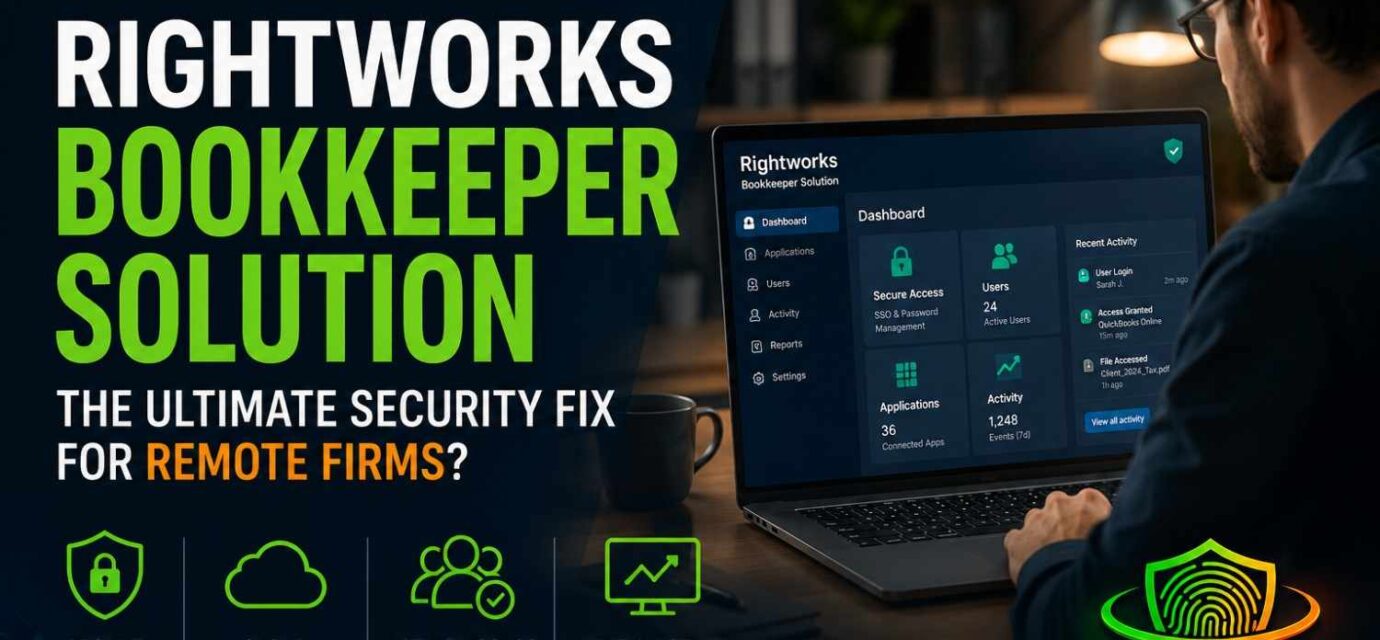

- Rightworks Bookkeeper Solution is a security-focused platform designed for cloud-first bookkeeping firms.
- It combines secure app access, Microsoft 365 management, cybersecurity protection, and centralized user controls.
- Key features include credential masking, one-click offboarding, audit logging, and endpoint protection.
- This review examines its security architecture, ideal use cases, limitations, and overall value for bookkeeping firms.
- We also compare Rightworks with OneUp Networks, Verito, and Ace Cloud Hosting.
Rightworks launched its Bookkeeper Solution on June 15, 2026 at Scaling New Heights — a single managed platform bundling secure app access, Microsoft 365, and cybersecurity for cloud-first bookkeeping firms that have no IT team. It targets the three failures that sink distributed practices: password sprawl, broken offboarding, and missing audit trails. This Rightworks Bookkeeper Solution review breaks down whether it delivers, how the security architecture actually works, and whether it’s worth the cost for your firm.
1. The Operational Hook & The June 2026 Launch
Every owner of a cloud-first bookkeeping practice has, without noticing, become the head of an IT department they never agreed to staff. The job grew sideways — one more app, one more contractor, one more client login — until access management quietly consumed the time and attention of a full-time role that nobody was hired to fill. That operational reality drove Rightworks to create this product and prompted the company to launch it on the floor at Booth #111 of Scaling New Heights instead of burying it in a quiet press release.
Here is the friction it targets. A modern bookkeeping practice doesn’t sit in one office anymore. The lead is in Tampa, the reconciliation specialist is in Cebu, two seasonal contractors spin up in January and vanish in May, and the client portals number in the dozens. Every one of those humans needs access to client banking, payroll, and ledgers — and every credential handed out is a liability that outlives the engagement. Scaling that headcount feels like growth and also administering it feels like drowning.
Rightworks isn’t a startup making promises. Operating since 2002 (most of that as Right Networks), it hosts QuickBooks and accounting workloads for 70,000-plus firms and is also Intuit’s leading hosting partner. This launch is the company repackaging two decades of accounting-IT plumbing for a segment it previously served sideways: the cloud-native bookkeeper who never wanted a hosted desktop at all.
2. The Granular Problem: Why Standard IT Architectures Fail Bookkeepers
Generic IT stacks assume a perimeter — an office, a domain, a finite set of employees on company laptops. Bookkeeping firms broke that model years ago and never got a replacement built for them.
The multi-app bottleneck is the root cause. A single client engagement might touch QuickBooks Online, Xero, Gusto, Canopy, TaxDome, Dext, and the client’s own bank login. Multiply by a 40-client book and a five-person distributed team, and you are administering hundreds of credential-to-human relationships by hand. No part of that scales linearly. It scales like a tangle.
The default coping mechanism is the real danger:
- Informal credential sharing. Passwords get dropped into Slack DMs, texted to a contractor mid-deadline, or parked in a shared spreadsheet “just for tax season.” Each one is a permanent plaintext secret sitting in a channel nobody audits.
- Zombie access. A contractor finishes in April. Six months later their login to a client’s QuickBooks Online still works, because revoking it meant resetting passwords across nine apps and someone forgot app number seven.
- No audit trail. When a client asks “who exported my payroll register on the 14th?”, the honest answer is a shrug. Shared logins erase attribution. You cannot prove who touched what, which is the exact thing regulators and clients now demand.
These aren’t hygiene gripes. The FTC Safeguards Rule under GLBA treats firms handling client financial data as financial institutions with real obligations, and IRS Publication 4557 expects encrypted storage and access controls for anyone touching taxpayer data. Informal password sharing isn’t just sloppy — it’s a default-allow posture in an industry that legally requires the opposite.
3. Architectural Deep Dive: The Core Ecosystem Layers
Rightworks structures the product as three stacked layers. The design intent is a default-deny posture — nothing is reachable until identity, device, and policy all check out — delivered without the firm hiring anyone to run it.
Layer A: The Secure Cloud Workspace (SSO launchpad mechanics)
This is the front door: a single sign-on launchpad where a staff member authenticates once and reaches every sanctioned app — Canopy, TaxDome, Gusto, and the rest of the 3,000-plus app catalog Rightworks brokers — without juggling individual logins. Mechanically, where an app supports federation (SAML or OIDC), Rightworks becomes the identity provider and the app trusts its assertion. Where an app has no modern SSO, the workspace falls back to vaulted credential injection (more on that below). The operational payoff is that access becomes a property of identity, not a pile of shared secrets. Add a person, grant a role. Remove a person, kill the identity. Everything downstream follows.
Layer B: Managed Microsoft 365 Integration
The collaboration layer is full Microsoft licensing and provisioning, including a Microsoft Office E3 license per user, with Exchange email, file storage, and the Office apps governed under firm-wide policy rather than left to individual discretion. This matters more than it sounds. The weakest link in most small firms is an unmanaged Outlook inbox forwarding client PII over a personal Gmail. Bringing email and file storage under managed M365 means conditional access, retention policy, and tenant-level controls apply uniformly — and email security is filtered before it reaches the user, not after.
Layer C: The Cybersecurity Shield
The third layer is Rightworks Total Security and Cloud Protect: managed endpoint protection (antivirus plus EDR), automated patch management, and device monitoring that extends even to personal and BYOD machines — the laptop your offshore contractor actually uses. Patch management alone closes the gap most breaches walk through: unpatched endpoints running stale software. Because it’s monitored centrally, a missing update or a flagged device surfaces to Rightworks, not to a founder who doesn’t know what a CVE is.
4. Standout Features Evaluated by an Industry Expert
The architecture is sound on paper. These four features are where it either earns its keep or doesn’t.
Credential Masking Mechanics
This is the headline, and it’s the one most worth understanding precisely. The premise: a contractor logs into a client’s banking or accounting portal and does the work without ever seeing, knowing, or storing the actual password.
The mechanism behind “no password assignment” is vaulted credentials plus brokered injection. The real secret lives encrypted in Rightworks’ vault. When an authorized user opens the app, the platform injects the credential into the login flow on their behalf — the user gets an authenticated session, but the plaintext secret never lands on their clipboard, never renders in a form field they can reveal, and never syncs to their device. Rotate the underlying password and the user never notices, because they never had it. For SSO-capable apps, the credential effectively disappears entirely behind federation.
Why a 20-year veteran cares: this severs the link between doing the work and holding the secret. An offshore reconciler can close the books in a client’s QBO without ever being in a position to log in from their cousin’s laptop in six months. The credential isn’t theirs to leak because it was never in their hands.
Immediate One-Click Offboarding
The companion feature, and arguably the bigger stress reliever. When a subcontractor rolls off, you revoke their workspace identity once, and access dies everywhere simultaneously — corporate apps, client portals, email, the lot.
Contrast that with the manual reality: resetting passwords across every app a departing contractor touched, hoping you remembered all of them, while knowing one missed reset is a standing breach. Offboarding is where firms quietly fail their own security policy, because it’s tedious, it’s nobody’s job, and it happens during the chaos of someone leaving. Collapsing it to a single deprovisioning action doesn’t just save twenty minutes — it removes the failure mode entirely. The psychological relief of knowing the door is shut is the actual product here.
Audit-Ready Logs & Regulatory Compliance
The platform tracks login activity, access events, and failed login attempts across connected apps with real-time reporting. That ledger is the difference between a defensible firm and a hopeful one.
Map it to the obligations directly. IRS Publication 4557 expects you to safeguard taxpayer data with access controls and the ability to detect unauthorized access. A Written Information Security Plan (WISP) — required under the FTC Safeguards Rule for firms that qualify — has to document who can access client data and how that access is monitored. Centralized access logs answer the auditor’s and the client’s core question — who touched which ledger, when, and from where — with a record instead of an assumption. Rightworks also offers WISP creation as a managed service, which closes the gap for owners who have a policy obligation but no idea how to write the document.
One precise caveat an expert owes you: a pure bookkeeper who never prepares returns and holds no PTIN sits in a grayer zone of FTC/GLBA applicability than a tax preparer does. But the moment you handle client bank and payroll data — which is the entire job — the security expectations, contractual and regulatory, apply in substance regardless of the technicality.
Device Protection & Phishing Drills
Managed endpoint protection covers the machines, and mandatory security awareness training covers the humans. The training piece — automated phishing simulations and social-engineering drills — is the part underbudgeted firms skip and attackers exploit. Your reconciliation contractor in another country, on their own hardware, is statistically your highest-risk endpoint. Managed EDR on that device plus recurring phishing tests is precisely the coverage a distributed firm cannot easily assemble itself.
5. Ideal Firm Profile: Who Wins and Who Should Pass?
The firm that extracts maximum ROI is a growing, boutique, cloud-first practice — roughly the three-to-twenty-person range — that runs on SaaS apps and leans on offshore or outsourced contractors. If you’re scaling headcount faster than you’re scaling administration, and you have zero appetite to hire IT, this is built for your exact silhouette. The launch reference customer fit the mold precisely: a boutique firm whose move to offshore staffing forced a hunt for serious security, then rolled the platform out team-wide.
The scalability story is genuine. Rightworks positions the product as an entry point to its broader ecosystem. As firms grow, they can expand into tax and desktop hosting through Cloud Premier, add secure outsourcing services, and adopt Spark AI—Rightworks’ accounting-focused, security-fenced AI that helps draft client emails and summarize data within a protected workspace. You’re buying into a ladder, not a single rung.
Who should pass. A true solo bookkeeper with one client app and no contractors is overbuying — a reputable password manager and free MFA already cover the basics for a few dollars a month. Likewise, firms chasing dedicated-server desktop performance for heavy QuickBooks Desktop files are looking at a different Rightworks product (the hosting line), not this SaaS-access layer. Meanwhile, owners who insist on transparent public pricing and a self-serve free trial should know Rightworks historically offers neither — instead, expect a sales conversation.
6. How It Stacks Up: Rightworks vs. Ace, Verito vs. OneUp Networks
Before comparing Rightworks alternatives such as OneUp Networks, Verito, and Ace Cloud Hosting, it’s important to understand that these products belong to different categories. Ace Cloud Hosting, Verito, and OneUp Networks are hosting-first providers—they run your QuickBooks Desktop and tax applications on their servers, and you access them through a remote desktop or browser. The Rightworks Bookkeeper Solution is different: it acts as an access-and-security layer for the cloud SaaS applications your firm already uses. They overlap on security, compliance, and managed IT, which is why firms often evaluate them together, but only Rightworks is built around SaaS single sign-on and credential masking. Keep that distinction in mind while reviewing the comparison below.
| Rightworks Bookkeeper Solution | Ace Cloud Hosting | Verito (VeritSpace) | OneUp Networks | |
|---|---|---|---|---|
| Core model | Secure SaaS access + Microsoft 365 + cybersecurity layer | Hosted QuickBooks/apps (desktop in cloud) | Dedicated-server hosted QuickBooks/tax apps | Hosted QuickBooks/accounting apps in cloud |
| Infrastructure | Multi-tenant cloud workspace | Shared (dedicated optional) | Dedicated private server | Dedicated/custom, Tier III+ |
| Starting price | Not published for this SKU (broader hosting ~$45+/user/mo) | ~$34.99/user/mo | $69/user/mo | ~$34.99/user/mo |
| Free trial | None (historically) | 7-day | 15-day | 15-day, no card |
| Pricing transparency | Low — quote only | Moderate — add-ons stack | High — line-item billing | High — no setup or hidden fees |
| Security & compliance | Total Security + Cloud Protect, EDR, MFA, WISP service, SOC 2 | SOC 2, MFA, encryption | SOC 2 Type II, AES-256, MFA, FTC/4557-aligned | SOC 2, ISO 27001, HIPAA, EDR + IDS/IPS |
| Backups | Managed | Nightly, 30+ day retention | Nightly, 60-day retention | 120-day rolling |
| SaaS SSO + credential masking | ✓ Core feature — no raw passwords; cross-app one-click offboarding | ✗ | ✗ | ✗ |
| G2 rating | 4.2 | 4.9 | 4.9 | 4.9 |
| Best for | Cloud-first firms with offshore/contract staff and many SaaS apps | Budget firms wanting hosted QuickBooks | Compliance- and performance-critical firms wanting dedicated resources | Small and mid-sized firms seeking affordable, compliance-focused hosting |
A few honest reads on the matchup:
- OneUp Networks is the price story — roughly $34.99/user/month, no setup fee, a 15-day no-card trial, and a compliance sheet (SOC 2, ISO 27001, HIPAA) that punches above its tag. For a firm whose core need is cheap, compliant hosting, it undercuts everyone here and openly markets itself as the Rightworks alternative.
- Verito is the performance-and-compliance pick at $69/user/month. Every client gets a dedicated private server — no noisy-neighbor lag in tax season — plus SOC 2 Type II, AES-256, 60-day backups, and sub-60-second support. Tellingly, Verito’s own roster includes firms that left Right Networks specifically over downtime, the soft spot Rightworks’ shared infrastructure has long been criticized for.
- Ace Cloud Hosting sits in the middle at ~$34.99/user/month — Intuit-authorized, SSD-backed, with a dedicated-server upgrade path, though storage and backup add-ons inflate the real bill.
- Rightworks Bookkeeper Solution is the only one that solves the SaaS problem. None of the three hosting providers brokers a login into Canopy, TaxDome, Gusto, or a client’s bank portal without exposing the password, and none offers one-click offboarding across those SaaS apps. That capability is the entire reason this product exists — and the reason a cloud-native firm can’t just buy cheaper hosting instead.
The decision rule is clean. Run QuickBooks Desktop and tax software and want it fast and compliant in the cloud? One of the hosting-first three wins — OneUp Networks on price transparency, Verito on dedicated performance. Live entirely in cloud SaaS and bleeding from credential sprawl and messy offboarding? Rightworks is the only product on this list aimed at your actual problem: you’re paying for access governance, not server horsepower.
7. The 20-Year Expert Verdict & Strategic Recommendation
Score: 8 out of 10 for its intended buyer.
The logic for the eight: the product solves the three problems that actually sink distributed bookkeeping firms — credential sprawl, broken offboarding, and unprovable audit trails — and it solves them as a managed service, which is the only delivery model a no-IT firm can sustain. That’s a high-confidence fit for the target profile, closer to a nine for a firm that matches it precisely.
The two points off are clear-eyed. Rightworks carries a 4.2 G2 rating against compliance-first rivals scoring in the high fours, and also its hosting customers have a documented history of complaints about support responsiveness and pricing opacity — no published price, no trial. Those are organizational traits that don’t vanish because the SKU is new. This is also a product barely a week old, with no independent long-run reviews yet. Buy the architecture and the track record, but verify support SLAs and total per-user cost in writing before you sign.
The bottom line for a founder weighing DIY against a managed ecosystem: you can absolutely assemble this yourself — a part-time MSP, a password vault, standalone EDR, M365 licensing, and a security-awareness tool. Stitched together, that stack costs real money and your attention, and it still leaves you owning the integration and the offboarding discipline. Rightworks’ pitch is that consolidating it removes both the assembly and the human error. For a firm growing through offshore and contract talent, the risk math favors the managed route — provided you negotiate the price and pin down the support guarantees first.
Frequently Asked Questions
It provides secure single sign-on to common cloud accounting and practice apps — including QuickBooks Online, Canopy, TaxDome, and Gusto — as part of a broader catalog of thousands of accounting, tax, and business applications. QuickBooks Online can be bundled directly with the plan at or below Intuit’s MSRP, and QuickBooks Desktop can be hosted separately through Rightworks’ cloud hosting if a firm still runs desktop files.
Through one-click offboarding tied to the user’s central workspace identity. Revoking that single identity cuts the person’s access across every connected app, client portal, and email simultaneously, rather than forcing a manual password reset app by app. This eliminates the most common security failure in distributed firms — the departed contractor whose access quietly persists for months.
For credentials managed inside the Rightworks workspace, effectively yes — the platform vaults and injects secrets so staff never handle raw passwords, which replaces the day-to-day job of a standalone password manager. The honest caveat: any account a firm keeps entirely outside the workspace still lives outside that protection, so coverage depends on routing your sensitive logins through the platform rather than around it.
