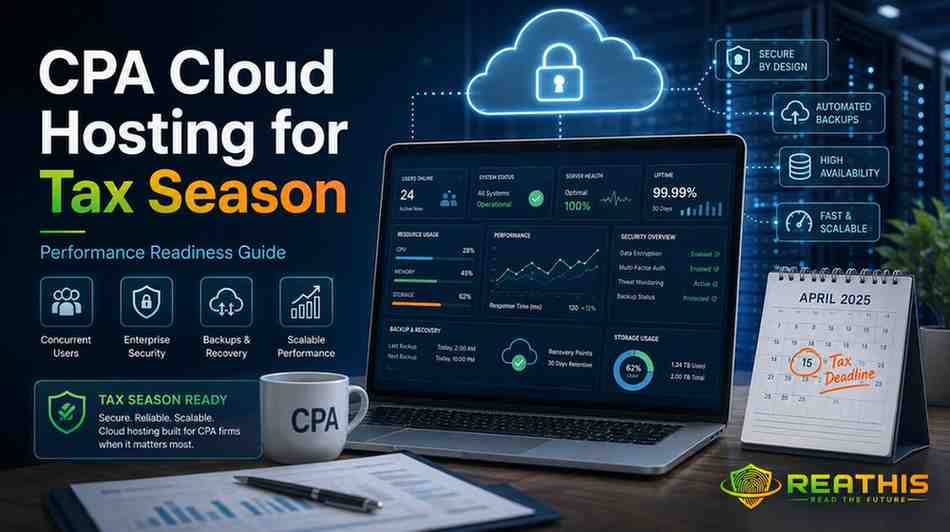
- No standardized independent benchmark currently proves that one cloud hosting provider is universally the fastest or most reliable for CPA firms during peak tax-season workloads. Published uptime percentages, hardware specifications and performance claims should therefore be treated as evaluation inputs rather than proof of real-world performance.
- For tax-season readiness, CPA firms should evaluate concurrent-user capacity, resource isolation, application compatibility, scalability, backup and recovery, security, and technical escalation against the firm’s actual accounting and tax-software workload.
- OneUp Networks emphasizes dedicated multi-application environments for accounting and tax firms; Verito emphasizes dedicated private servers with reserved resources; Ace Cloud Hosting offers dedicated and scalable accounting-software environments; Apps4Rent provides session-based and dedicated cloud configurations; and Rightworks provides an accounting-focused cloud ecosystem supporting a broad range of accounting and tax applications.
- The strongest evidence comes from testing the proposed environment before filing deadlines. Firms should reproduce realistic concurrent-user activity, application workflows, resource demand, support escalation and at least one backup-restoration scenario rather than relying only on a provider’s feature list.
- Use the ReaThis Documented → Contracted → Tested framework: confirm what the provider publicly documents, determine what the firm’s actual agreement or SLA commits to, and then test critical performance and recovery capabilities under realistic conditions.
CPA cloud hosting should be evaluated differently when the goal is surviving tax season rather than simply enabling remote access. The important questions are whether the environment remains responsive when users work simultaneously, whether resources can scale before filing deadlines, how quickly data can be restored, and whether support can resolve an accounting-application problem rather than merely acknowledge a ticket.
Providers including OneUp Networks, Rightworks, Verito, Ace Cloud Hosting, and Apps4Rent publish different approaches to these problems. However, public specifications alone cannot prove which platform will perform fastest for your firm. The most reliable decision comes from testing your actual applications, users, files, integrations, and recovery procedures before peak season.
Key Takeaways
- Tax-season performance depends more on the complete environment than on a provider’s headline CPU, storage, or uptime claim.
- Count simultaneously active users, not simply licensed users, when sizing a hosted environment.
- Dedicated resources can reduce contention, but “dedicated” alone does not prove that an environment will be faster.
- A long backup-retention period is valuable, but retention is not the same thing as tested recovery.
- Ask for both RPO and RTO, restore procedures, escalation paths, and any contractual service commitments.
- A provider’s initial support-response time matters less than how quickly the correct engineer can diagnose an application or infrastructure problem.
- Firms should conduct a realistic pre-season workload test instead of discovering capacity limits during March or April.
Review Methodology
This guide does not rank cloud hosting companies from best to worst. ReaThis reviewed current provider documentation alongside IRS, FTC, and Intuit guidance, then evaluated the operational questions that become especially important when an accounting firm enters a high-concurrency filing period.
The analysis focuses on seven areas:
- Concurrent-user performance
- Resource isolation
- Application architecture
- Scalability
- Backup and disaster recovery
- Support escalation
- Security and service-provider oversight
Provider-published uptime percentages, hardware descriptions, support-response figures, and backup periods are treated as vendor claims unless independently demonstrated. A statement such as “99.99% uptime” therefore describes what the provider publishes; it does not mean ReaThis independently measured that level of availability.
That distinction matters because no standardized public benchmark currently compares these five providers under the same QuickBooks files, tax applications, user count, network conditions, storage workload, and filing-season concurrency.
Why Tax Season Changes the Cloud-Hosting Decision
An accounting firm’s infrastructure rarely experiences uniform demand throughout the year. During peak filing periods, more staff may work simultaneously, seasonal employees may join the environment, tax databases become more active, document traffic increases, and users may run tax software, QuickBooks, Microsoft applications, PDF tools, practice-management software, and browser sessions together.
That changes the infrastructure question. A cloud desktop that feels responsive for three active users in November tells you very little about how the same configuration will behave when twelve users are compiling returns, opening large files, printing documents, and switching between accounting applications.
The mistake is assuming that cloud hosting automatically solves capacity problems. It does not. Hosting moves the workload to someone else’s infrastructure; the provider still has to size, isolate, monitor, scale, back up, and recover that infrastructure correctly.
For CPA firms, the better question is therefore not:
“Does this provider offer cloud hosting?”
It is:
“What happens to our complete working environment when the workload reaches its annual peak?”
1. Measure Concurrent Users, Not Total Employees
A 20-person accounting firm does not necessarily need infrastructure sized for 20 continuously active users. Conversely, a 10-person tax firm can generate substantial workload if nearly everybody uses resource-intensive applications at the same time.
Concurrency describes the number of people actively using the environment simultaneously. That figure should become one of the first inputs when discussing server sizing with a provider.
Ask the provider to model the periods when staff overlap most heavily. Include seasonal preparers, partners connecting remotely, bookkeeping teams, outsourced workers, and anyone else who may use the hosted applications during deadline periods.
Then identify what those users do simultaneously. Ten people performing light administrative tasks create a very different workload from ten people working inside QuickBooks Enterprise, UltraTax CS, Drake, Lacerte, document-management systems, Microsoft Excel, and PDF applications at the same time.
What to ask
Do not simply ask, “Can you support 20 users?”
Ask:
“What resources will our environment have when 20 users are simultaneously active, and what happens when that workload exceeds the planned capacity?”
That question forces the discussion toward architecture rather than sales terminology.
2. Understand Resource Isolation Before Paying for “Dedicated”
Shared infrastructure is not automatically bad, and dedicated infrastructure is not automatically fast. What matters is which resources your workload can actually use and how much contention exists around them.
A dedicated environment can provide greater isolation because another customer’s workload should not consume the same allocated resources. This can matter when accounting workloads change sharply during filing periods.
However, a badly sized dedicated server can still become slow. If CPU capacity, memory, storage performance, database behavior, or networking is inadequate, isolation does not solve the underlying bottleneck.
Likewise, a well-engineered virtual environment with properly reserved resources can outperform a poorly configured “dedicated” server.
When a provider describes an environment as dedicated, ask what that means technically. Is the physical server dedicated? Is the virtual machine dedicated? Are CPU and RAM reserved? Is storage shared? Can resources be changed without migrating the environment?
The word alone is not enough.
3. Evaluate the Application Stack as One System
Accounting firms rarely run one isolated application.
A realistic environment may contain QuickBooks Enterprise, UltraTax CS, Accounting CS, Practice CS, Drake, CCH applications, Sage, Microsoft 365 applications, document tools, PDF software, scanners, printers, browser-based portals, and various add-ons.
Application placement can affect workflow. When tightly connected Windows applications run close to the data they exchange, firms may avoid some delays that occur when software and databases are scattered across separate environments.
That does not mean every application should automatically live on one server. Security boundaries, licensing, resource requirements, database dependencies, and vendor support requirements can justify separating workloads.
The important step is to map the workflow before migration.
For example, if staff regularly move information between QuickBooks and tax software, the hosting design should account for that workflow instead of treating the two applications as independent installations.
OneUp Networks currently emphasizes putting accounting and tax applications within a dedicated private servers, while Rightworks positions its cloud around a broad accounting and tax application ecosystem. Verito advertises dedicated private servers for tax and accounting applications, Ace Cloud Hosting offers multi-application cloud environments, and Apps4Rent hosts multiple accounting and business applications through its cloud desktops. These descriptions show different service models, but they still need to be validated against a firm’s exact software versions and integrations.
4. Do Not Treat NVMe or SSD as a Performance Guarantee
Fast storage matters because accounting applications frequently read and write databases, company files, tax data, PDFs, and supporting documents. Several hosting providers therefore highlight SSD or NVMe storage in their infrastructure descriptions.
But the storage label is only one part of the performance path.
A server can use NVMe storage and still feel slow if CPU resources are saturated, memory is inadequate, another workload creates I/O contention, network latency is high, or the application itself becomes the bottleneck.
OneUp Networks publishes NVMe-based infrastructure for several accounting applications, while Apps4Rent advertises SSD-backed cloud desktops. Ace Cloud Hosting also describes high-performance storage in parts of its accounting-hosting portfolio. These are useful infrastructure signals, but they should not be interpreted as independently measured end-user speed.
During a trial, test operations your staff actually notice: opening a large client file, switching between modules, printing a return, creating PDFs, running reports, importing data, and working while other users perform similar tasks.
Your own workload provides a more relevant benchmark than the storage acronym on the pricing page.
5. Ask How Scaling Actually Happens
“Scalable” appears throughout the cloud-hosting market, but it can mean several different things.
One provider may allow an administrator to increase RAM or CPU after a support request. Another may dynamically assign additional resources. A third may require moving the customer to a different plan or server.
Those differences become important when a firm discovers a capacity problem shortly before a filing deadline.
Ace Cloud Hosting says resources can be scaled for peak tax workloads. OneUp Networks publishes scalable or auto-scaling resource capabilities on its Thomson Reuters hosting pages. Verito describes servers sized around seasonal tax workloads. These are useful starting points, but the operational details should be confirmed in writing for the specific plan being purchased.
Ask four follow-up questions:
- How much additional CPU, memory, or storage can be assigned?
- How quickly can the change be made?
- Does the change require a restart or migration?
- What will the temporary or permanent upgrade cost?
A scalability claim becomes much more valuable once the process behind it is clear.
6. Backup Retention Is Not the Same as Recovery
A provider can keep months of backups and still have a weak recovery process.
Retention answers:
“How far back can we potentially go?”
Recovery answers:
“How quickly can we return the firm to usable operation?”
Those are different questions.
Two metrics help make this concrete:
Recovery Point Objective (RPO) describes how much recent data the firm could lose following a disruption.
Recovery Time Objective (RTO) describes the target time required to restore service.
Suppose a provider stores 90 days of backups. That sounds reassuring, but the practical questions remain: How often does it capture data? Are copies isolated from the production environment? Who starts a restore? Can one file be restored without rolling back the entire server? How long does a full-server recovery normally take?
Current provider documentation illustrates why firms need to look deeper than the headline retention number. Rightworks publishes automatic 90-day backups. Ace Cloud Hosting publishes 45-day backups for its Intuit-hosting environment. OneUp Networks publishes 120-day rolling backups and, on its UltraTax-specific documentation, RPO and RTO targets. Verito states that retention varies by plan, generally from 60 to 90 days. Apps4Rent advertises daily backups on its QuickBooks environment, although the material reviewed for this article does not provide an equally clear retention figure on that product page.
These remain provider-published specifications. ReaThis has not independently performed disaster-recovery exercises across the five platforms.
The more important test
Before tax season, request a restore.
Choose a non-production test file or test environment and walk through the procedure. Record who had authority to request it, how the provider verified the request, how long retrieval took, and whether the restored data worked correctly.
A backup strategy becomes far more credible once somebody has demonstrated that recovery works.
7. Separate Support Response From Problem Resolution
“24/7 support” is useful, but it tells you surprisingly little about how a serious filing-season incident will unfold.
A support team can answer the telephone immediately and still take hours to identify a storage, database, operating-system, licensing, or application problem.
CPA firms should therefore examine at least three support stages:
Response: How long until somebody acknowledges the issue?
Escalation: How quickly does the ticket reach someone capable of diagnosing the relevant infrastructure or accounting application?
Resolution: How long until users can work normally again?
Rightworks currently publishes 24/7 expert support for its cloud products. OneUp Networks advertises round-the-clock human support across its accounting-hosting environment. Verito advertises 24/7/365 support for tax and accounting hosting, while Ace Cloud Hosting advertises 24×7 human support. Apps4Rent similarly advertises 24/7/365 support on its QuickBooks hosting service.
Availability is therefore not the main differentiator to investigate. The better questions concern escalation rules, application expertise, response commitments, and accountability when another software vendor must become involved.
Tax-Season Readiness: What Five Providers Publicly Document
The following is not a ranking. It summarizes selected publicly documented signals relevant to filing-season readiness.
| Provider | Relevant public signal | Backup information reviewed | Support | Main item to verify |
|---|---|---|---|---|
| OneUp Networks | Dedicated accounting environments; scalable resources; multi-application hosting | 120-day rolling backups; provider also publishes RPO/RTO for certain Thomson Reuters hosting | 24/7/365 | Validate actual resource allocation and recovery commitments for your configuration |
| Rightworks | Broad accounting cloud platform and application ecosystem | Automatic 90-day backups | 24/7 | Clarify the resource model and escalation process for your selected plan |
| Verito | Dedicated private servers focused on accounting and tax firms | 60–90 days depending on plan | 24/7/365 | Confirm exact resources, retention, and contractual availability commitments |
| Ace Cloud Hosting | Dedicated options and published peak-workload scalability | 45-day backup period on current Intuit hosting page | 24×7 | Confirm which scalability and security features apply to the purchased environment |
| Apps4Rent | Cloud desktops, accounting-software support and SSD infrastructure | Daily backups advertised | 24/7/365 | Confirm retention, server resource allocation, and recovery objectives in writing |
Sources: current provider documentation reviewed August 11, 2026.
The table deliberately avoids a “speed” column. None of the evidence reviewed provides a standardized independent test showing how all five services perform under an identical workload.
The ReaThis Tax-Season Readiness Framework
Instead of assigning an arbitrary score, firms can evaluate each requirement at three evidence levels:
| Requirement | Documented | Contracted | Tested |
|---|---|---|---|
| Peak concurrent-user capacity | Provider explains expected capacity | Resources and upgrade process appear in agreement | Staff reproduce peak workload successfully |
| CPU/RAM allocation | Configuration is disclosed | Minimum resources are specified | Monitoring shows adequate headroom |
| Application compatibility | Provider confirms software support | Required applications are included | Actual versions and integrations function |
| Backup frequency | Schedule is documented | Retention and restoration terms are written | Test restore succeeds |
| Disaster recovery | RPO/RTO are discussed | Applicable objectives appear in agreement/SLA | Recovery exercise is completed |
| Support | Channels and hours are published | Escalation/SLA terms are clear | Firm opens a real test ticket |
| Security | Controls are documented | Responsibilities are defined | MFA, permissions and offboarding are tested |
| Scaling | Upgrade options are documented | Cost/process are written | Resource change is tested before peak season |
This framework separates three things buyers often confuse.
A documented feature is something a provider says exists. A contracted feature is something the firm can rely on under its actual agreement. A tested capability is something the firm has seen work in its own environment.
For tax-season-critical systems, the third column carries the most operational value.
How to Run a Pre-Tax-Season Cloud Stress Test
A realistic test should reproduce your firm’s workflow rather than using an artificial server benchmark.
Start by identifying the busiest expected period and estimating how many people will work simultaneously. Include seasonal employees and remote team members instead of testing only permanent office staff.
Next, use representative applications and data. If your team normally opens QuickBooks Enterprise while UltraTax CS, Excel, a document-management application, PDF tools, and browser portals remain active, reproduce that combination.
Have several users complete normal operations at once. Open files, compile returns, generate reports, import data, print documents, create PDFs, and move between applications.
Then record where delays appear. The goal is not to invent an arbitrary “five-second” or “ten-second” industry standard. Establish what your firm considers acceptable and compare the hosted experience against the workflow employees already understand.
The test should also include failure, not just performance.
Open a support case. Restore a test file. Add or remove a user. Apply MFA. Test a remote employee’s printer or scanner. Ask how additional capacity would be assigned if utilization suddenly increased.
A platform that performs well only when everything works perfectly has not completed a tax-season readiness test.
Five Failure Scenarios to Discuss Before Signing
1. Everyone logs in at the same time
Morning login spikes can expose CPU, profile, storage, or authentication constraints that ordinary demonstrations never reveal.
Mitigation: test simultaneous sign-ins with a realistic number of users rather than logging in sequentially.
2. The primary server becomes unavailable
Backups matter only after the firm knows how workloads will be recovered.
Mitigation: obtain the disaster-recovery process, applicable RPO/RTO, escalation contacts, and restoration responsibilities in writing.
3. One application slows while everything else appears normal
This may indicate an application-level problem rather than a general infrastructure outage.
Mitigation: establish whether the hosting provider troubleshoots the application, coordinates with its vendor, or expects the CPA firm to manage that escalation.
4. Seasonal users need immediate access
Adding temporary employees introduces licensing, permissions, MFA, security, and resource-capacity questions simultaneously.
Mitigation: create the seasonal-user process before January and test removal of access when the engagement ends.
5. Ransomware or accidental deletion is discovered late
If corruption remains unnoticed for days or weeks, the most recent backup may reproduce the problem.
Mitigation: evaluate retention depth, isolated or immutable copies where available, and the ability to restore from several historical points.
Security Still Belongs to the CPA Firm
Moving applications to a hosting provider does not transfer every safeguarding responsibility to that vendor.
The IRS states that tax professionals need written information-security plans and should address risks, safeguards, monitoring, testing, and service-provider handling of customer information. The FTC Safeguards Rule likewise requires covered financial institutions to maintain safeguards and take steps concerning service providers that receive or maintain customer information.
For a hosting evaluation, that means security questions should extend beyond whether the vendor advertises encryption or MFA.
The firm should understand who can administer the server, how privileged access works, how user access is removed, whether security events are logged, how backups are protected, what happens after an incident, and which responsibilities remain with the firm.
The IRS updated its tax-professional security resources in July 2026 and continues directing practitioners toward Publication 4557 and related WISP guidance.
What About QuickBooks Desktop Authorization?
If QuickBooks Desktop is part of the environment, authorization is a separate issue from performance.
As of the current Intuit directory reviewed for this article, Ace Cloud Hosting, Apps4Rent, Rightworks, and Summit Hosting appear among Intuit-authorized QuickBooks Desktop hosts. OneUp Networks and Verito do not appear on that current list. Intuit also explicitly says authorization does not mean that it endorses, certifies, sponsors, or guarantees a provider’s services.
Therefore, authorization should not be used as a proxy for speed, backup quality, support performance, or disaster recovery.
A firm that requires an authorized QuickBooks host should use the directory as a qualifying requirement and then evaluate the surviving providers against its technical and operational criteria.
Questions to Ask Before Tax Season
Before approving a hosting environment, get written answers to these questions:
- How many concurrently active users was our proposed environment sized for?
- What CPU, RAM, storage, and other resources are actually assigned?
- Which resources are shared with other customers?
- What happens when utilization reaches the planned limit?
- How quickly can CPU or memory be increased?
- Will scaling require a restart, migration, or change of plan?
- How often are backups created?
- How long are they retained?
- What are the applicable RPO and RTO?
- Can you restore one file without restoring the entire environment?
- When did you last test the recovery process applicable to this service?
- Which team handles QuickBooks, UltraTax, Drake, CCH, Sage, or other application-level problems?
- What happens if the software vendor and hosting provider disagree about the cause?
- How does a critical ticket escalate during filing deadlines?
- What security responsibilities remain with our firm?
- How quickly can seasonal users be added and removed?
- Which commitments appear in our actual agreement or SLA?
- Can we run a pilot with our own applications, files, peripherals, and users before migration?
The answers will usually reveal more than a feature comparison.
Is a Dedicated Server Always Better for Tax Season?
No.
Dedicated infrastructure can reduce competition for resources and may offer greater configuration control, making it attractive for demanding workloads. OneUp Networks and Verito both prominently advertise dedicated accounting environments, while Ace Cloud Hosting offers dedicated configurations among its options.
But architecture must still be sized correctly. A dedicated server with insufficient memory or CPU can perform worse than a properly designed virtual environment with stronger resources.
The correct comparison is not simply dedicated versus shared.
It is available resources + workload + isolation + application design + storage + network + management + recovery.
Is 99.99% Uptime Enough?
Not by itself.
An uptime figure tells you nothing about how responsive an application was while the service remained technically available. A user can be connected to a server and still experience a workflow that is too slow for productive work.
It also does not explain planned maintenance, exclusions, measurement periods, service credits, disaster recovery, or whether the percentage represents an SLA, a target, a historical measurement, or marketing language.
Ask for the applicable service agreement and read how availability is calculated.
For a CPA firm, availability, responsiveness, recovery, and support should be evaluated separately.
When Should a Firm Perform These Tests?
Do not wait until the busiest week of filing season.
The safer sequence is to evaluate the environment before peak demand, migrate with enough time to validate normal workflows, then conduct a controlled high-concurrency exercise while there is still time to correct sizing or integration problems.
Testing should also occur after meaningful changes such as adding employees, introducing a new tax application, moving large datasets, deploying security controls, or changing server resources.
Tax-season readiness is therefore not a product feature. It is an operational process.
Final Assessment
There is no defensible way to name a universally fastest CPA cloud hosting provider from public specifications alone.
OneUp Networks publishes a strong set of signals around dedicated multi-application hosting, scaling, extended backup retention, and accounting-focused support. Rightworks offers an established accounting cloud ecosystem with 90-day backups and 24/7 support. Verito emphasizes dedicated private infrastructure for tax and accounting firms. Ace Cloud Hosting combines accounting-app hosting with scalable and dedicated options, while Apps4Rent provides a broader cloud-desktop approach with accounting application support and comparatively accessible entry configurations.
Those differences can help build a shortlist. They cannot replace testing.
The strongest tax-season hosting decision is the one supported by three levels of evidence:
the provider documents it, the contract protects it, and your firm has tested it.
Before the next filing peak, test concurrent users, application workflows, scaling, support escalation, backup restoration, remote peripherals, user access, and disaster recovery under conditions that resemble the way your staff actually works.
That is a far more reliable measure of tax-season readiness than choosing a provider because its website uses the words “fast,” “scalable,” or “99.99% uptime.”
Fact-Checking Statement
ReaThis reviewed publicly available documentation from the providers discussed, Intuit’s current QuickBooks Desktop hosting directory, IRS tax-professional security guidance, and the FTC Safeguards Rule. Provider specifications are identified as provider-published information and should be confirmed in the customer’s actual proposal, service agreement, SLA, or security documentation before purchase. No standardized independent performance test of all providers was available for this comparison at the time of review.