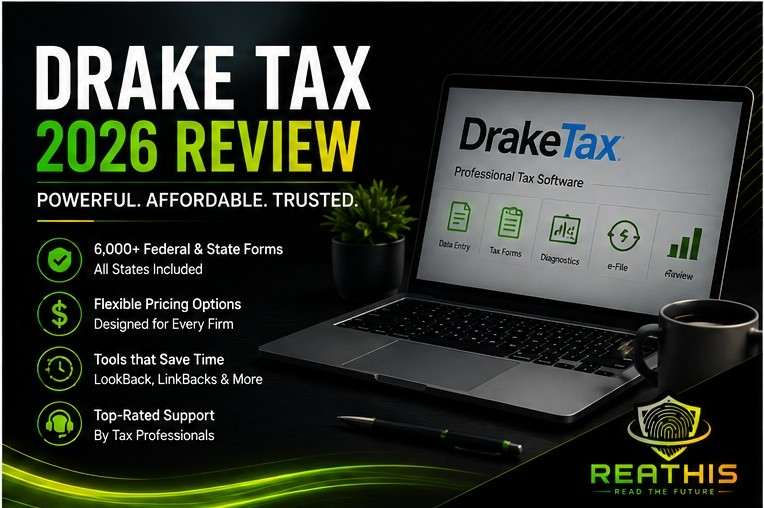
- Drake Tax is one of the strongest value-focused professional tax software options for solo preparers and small to midsize CPA and tax firms. It combines broad tax-return coverage with flexible purchasing options and a workflow built around professional preparation and review.
- Drake says its desktop tax software supports 6,000+ federal and state forms, includes all states, and provides tools such as LookBack and LinkBacks for comparing prior-year information and tracing calculated amounts.
- Firms can choose traditional Drake Tax desktop software or evaluate Drake Tax Online, a separate web-based product. The two options use different deployment and pricing models, so firms should not treat them as identical products.
- Independent professional-user evidence is particularly favorable to Drake. In The Tax Adviser’s 2025 survey of AICPA members, Drake represented 16.3% of respondents and earned the highest overall rating among the seven major tax products at 4.4 out of 5.
- ReaThis considers Drake strongest for firms that prioritize value, broad professional tax coverage, and preparer efficiency. Firms with unusually complex returns, enterprise-level workflow requirements, or deep suite-integration needs should also compare Lacerte, CCH Axcess Tax, and other advanced platforms before switching.
Introduction
Tax software can look surprisingly similar on a comparison page. Almost every professional platform can prepare individual returns, handle major business entities, e-file, carry data from prior years, and run diagnostics. Yet firms rarely experience tax software as a checklist of features. Preparers experience it through thousands of small actions: finding the right input screen, tracing a calculated number, comparing this year’s return with last year’s, reviewing another preparer’s work, resolving diagnostics, printing client documents, and getting help when something stops working.
That context explains why Drake Tax continues to attract professional preparers even though newer products may offer more polished interfaces or broader cloud ecosystems. Drake has traditionally emphasized practical preparation efficiency, broad return coverage, pricing flexibility, and direct support rather than trying to become an all-in-one enterprise accounting platform. Its current product lineup follows the same philosophy, with several desktop licensing models and a separate web-based Drake Tax Online option.
The important question, therefore, is not whether Drake Tax has enough features. Most established professional tax platforms do. A CPA or tax firm needs to decide whether Drake’s workflow matches its return complexity, preparer experience, review process, annual volume, technology environment, and budget. That is the standard ReaThis uses in this review.
Key Takeaways
- Drake’s strongest advantage is value combined with broad professional tax coverage.
- Its purchasing options accommodate very different practice sizes, from low-volume Pay-Per-Return users to multi-user unlimited firms.
- DoubleCheck, LookBack, and LinkBacks strengthen the preparation and review workflow by helping users mark reviewed fields, compare prior-year data, and trace calculated values.
- Drake Tax Online is a separate web-oriented product, not simply desktop Drake placed inside a browser. Some import functions still depend on an integrated Windows desktop module.
- Drake makes the strongest case for solo, small, and midsize professional practices, while firms with highly complex or enterprise-style tax workflows should compare alternatives before moving solely for lower software cost.
How We Evaluated: ReaThis reviewed Drake’s current product documentation, 2026 pricing, product support materials, workflow features, and independent user-review patterns. We did not run a controlled hands-on benchmark against competing tax applications, so this review separates documented capabilities from user-reported experience and ReaThis analysis.
What Is Drake Tax?
Drake Tax is professional tax preparation software built for paid tax preparers, CPAs, enrolled agents, and accounting firms. The desktop platform supports individual and business return preparation, federal and state e-filing, diagnostics, prior-year information, and thousands of federal and state forms. Drake currently markets the software as a full-featured professional product that can scale from a sole preparer to a multi-office practice.
That positioning matters because Drake does not primarily try to guide users through tax preparation like consumer tax software. Instead, it assumes that professional preparers understand the tax work and need software that helps them enter, review, trace, and file information efficiently. Experienced users may appreciate that approach because it keeps the software focused on production. Less experienced preparers, however, may need more training before they move through complex returns comfortably.
Drake now offers more than one way to use its tax software. Firms can continue with the traditional Windows desktop product or evaluate Drake Tax Online, which provides a browser-oriented environment and a different pricing model. Those products share the Drake name, but firms should treat them as different deployment choices rather than assuming they provide identical workflows.
Drake Tax Pricing in 2026
Pricing remains one of Drake’s clearest competitive advantages because the company gives firms several ways to match software cost with actual return volume. Drake’s current 2026 ordering system includes Pay-Per-Return options as well as fixed-volume and unlimited versions of Drake Tax Pro. Its live order page currently lists the multi-user unlimited Drake Tax Pro configuration at $3,145, while the company’s broader pricing page also details Pay-Per-Return and Drake Tax Online options.
| Product | Best Fit | Pricing Approach |
|---|---|---|
| Drake Tax Pro | Firms preparing individual and business returns | Fixed-volume or unlimited annual licensing |
| Drake Tax 1040 | Practices focused mainly on individual returns | 1040-focused packages with additional business-return considerations |
| Pay-Per-Return | Low-volume or unpredictable practices | Base purchase plus per-return charges |
| Drake Tax Online | Firms that prioritize web access | User licensing plus return-based charges |
The table shows why a universal statement such as “Drake costs less” can mislead buyers. A seventy-return practice and an eight-hundred-return firm will reach very different conclusions depending on the package, users, return mix, and additional products they need. A firm should model its own individual and business return volume before comparing Drake with another platform.
Price also needs context beyond the software invoice. A firm switching from another tax system may spend money on training, data conversion, workflow changes, integrations, and temporary productivity losses during the first filing season. Drake can still offer excellent economics, but firms should calculate total switching cost, not only license cost.
Where Drake Tax Creates the Most Value
Drake’s strongest value proposition comes from combining professional return coverage with a relatively flexible commercial model. A solo preparer does not need to buy the same configuration as a ten-preparer CPA firm, while higher-volume practices can move into unlimited or larger fixed-volume packages as their business grows. That flexibility reduces the chance that a firm will pay for far more capacity than it needs.
The form coverage also fits a broad general-practice tax firm. Drake says the platform includes more than 6,000 federal and state forms, while its product materials cover major individual and business return types. That breadth can serve many CPA and EA practices without forcing them into a more expensive enterprise tax platform simply to prepare ordinary S corporation, partnership, fiduciary, nonprofit, or corporate returns.
However, form availability does not automatically prove workflow quality for every complex engagement. A platform may technically support a form while another system gives a particular firm a faster or more sophisticated preparation and review process around that form. Firms with substantial international work, unusual state requirements, complex consolidations, or highly specialized returns should therefore test representative engagements rather than relying on the number of supported forms.
The Review Tools Matter More Than They First Appear
Drake includes several tools that deserve more attention than generic descriptions such as “easy to use.” DoubleCheck lets preparers and reviewers mark items as reviewed or flag them for further attention directly within the return. Drake’s current knowledge base documents this review-status workflow and connects it with the broader enhanced-view experience.
LookBack solves a different problem by displaying prior-year information while the preparer works in the current return. Instead of opening two separate tax-year programs merely to compare an amount, the preparer can view last year’s value from the current-year screen. That feature can help users notice unusual year-over-year changes and reduce the chance that important prior-year information disappears during preparation.
LinkBacks adds another useful layer by showing where a number on the return originated. Drake’s support documentation explains that users can trace values back to the underlying input screens or worksheets that produced them. For a preparer trying to understand an unexpected calculated amount—or a reviewer checking someone else’s work—that tracing capability can save time and reduce guesswork.
Taken together, these tools reveal Drake’s design philosophy better than a long features list. The software puts considerable attention on the day-to-day mechanics of professional preparation and review. Firms should decide whether those mechanics match their internal process rather than judging Drake primarily by how modern its interface appears.
Drake Tax Desktop vs. Drake Tax Online
Drake Tax Online deserves separate evaluation because it changes the deployment model. Its markets the online product as web-based professional tax software that supports individual and business returns while adding cloud access and modern account-security controls such as multi-factor authentication.
However, “online” does not mean that every part of the workflow operates independently of Windows. Drake’s current pricing documentation explains that import features in Drake Tax Online require an integrated Windows-based desktop data-entry module installed on a Windows PC. Drake also states that this desktop component exists only to support those integrated data-entry functions and cannot independently prepare and file returns.
That detail matters for firms evaluating Drake specifically because they want to eliminate desktop dependencies. A browser-first practice should test imports, local device requirements, document handling, and any other production steps it expects to perform before assuming that the online version removes every Windows-related dependency.
Traditional Drake Tax still makes sense for firms that prefer an established Windows workflow, need multi-user desktop configurations, or already operate reliable local or hosted infrastructure. Drake Tax Online makes a stronger case where remote browser access matters more heavily. Neither approach automatically wins; the firm’s operating model should determine the choice.
What Current Drake Users Like
Current third-party reviews show a consistent strength around value. Capterra’s Drake Tax review page includes users who praise its price relative to competing professional tax products, and its review summaries also highlight customer service and practical preparation functionality. These reviews do not represent every Drake customer, but they provide useful evidence about the themes that repeatedly appear in user feedback.
Customer support also appears frequently in positive reviews. That matters more in professional tax software than it might in a less time-sensitive business application because firms often encounter their most urgent problems during filing season. A platform can save a firm money on licensing and still become expensive if staff spend hours trying to resolve production issues.
At the same time, review platforms show that Drake does not satisfy every user equally. Capterra’s current aggregate rating sits below perfect scores, and comparison pages include users who describe a meaningful learning curve. Firms should treat those reviews as directional evidence rather than proof that every preparer will find Drake either easy or difficult.
Where Drake Can Create Friction
The biggest potential weakness is not necessarily missing tax forms. Instead, some firms may find that Drake’s traditional professional workflow requires more familiarity than newer or more guided products. Capterra and comparison results include users who praise the software overall while also mentioning learning curves or challenges in specific workflows.
That issue becomes more important as return complexity rises. An experienced preparer who understands where Drake expects an entry may work quickly, while a newer employee may spend more time learning screens, diagnostics, and program conventions. A growing firm that hires seasonal or less experienced preparers should include training time when comparing products.
Firms should also consider how much workflow they expect the tax program itself to manage. Drake offers additional products and practice tools, but tax preparation software and full practice management remain different categories. A firm that wants deeply integrated engagement tracking, document routing, staff scheduling, client communications, and enterprise reporting may need additional Drake products or third-party systems around the tax application.
Who Is Drake Tax Best For?
Drake makes the strongest case for professional practices that want broad tax preparation capability without automatically paying for an enterprise-scale tax platform. A solo preparer can take advantage of lower-volume options, while a small or midsize CPA or EA firm can move into larger or unlimited packages as return volume grows. That flexibility makes Drake particularly attractive to firms that want predictable software economics and do not need the deepest enterprise integration.
Small CPA firms that prepare a mixture of individual and ordinary business returns may represent Drake’s natural sweet spot. These firms can use broad form coverage, multi-user options, preparer-review tools, and established professional workflows without buying software designed primarily around very large tax departments. Firms that employ experienced preparers may gain even more value because those users can take advantage of Drake’s professional workflow without needing extensive guidance.
High-volume 1040 practices should also examine Drake closely because its 1040-focused and unlimited options can produce attractive economics depending on return volume. However, firms should model business-return charges and any additional products they need before assuming that one package provides the lowest total cost.
Larger firms with unusually complex returns should approach the decision differently. Drake can handle many business and professional tax return types, but organizations that rely on deeply integrated suites, sophisticated enterprise workflows, large multi-office teams, or highly complex engagements should compare Lacerte and CCH Axcess Tax using representative work rather than making a decision primarily on price.
Drake Tax vs. Lacerte, ProSeries, and CCH Axcess Tax
Each of these platforms serves professional tax preparation, but they approach the market differently.
| Product | General Fit | Deployment | Strongest Reason to Evaluate |
|---|---|---|---|
| Drake Tax | Solo to midsize practices | Desktop plus separate online option | Value, professional preparation, flexible licensing |
| Lacerte | Firms handling more complex returns | Desktop with hosting options | Complex-return workflow and advanced professional depth |
| ProSeries | Small to midsize tax firms | Desktop with optional hosting | Familiar forms-based workflow and Intuit ecosystem |
| CCH Axcess Tax | Firms seeking a connected cloud tax environment | Cloud-based | Broader CCH workflow integration and cloud architecture |
The table should not become a disguised winner-takes-all ranking. A firm with two experienced preparers and a few hundred straightforward returns needs a different system from a thirty-person tax department handling complicated entity structures. Software fit depends on the work the firm actually performs.
Drake’s strongest position in this comparison comes from value and practical professional preparation. Lacerte generally makes a stronger case when complex-return capability justifies higher software spending, while ProSeries can fit smaller Intuit-oriented practices particularly well. CCH Axcess Tax appeals to firms that place greater value on cloud architecture and the broader Wolters Kluwer ecosystem.
The ReaThis Drake Fit Test
Before switching, a firm should start by examining the complexity of its own return portfolio. If most engagements involve common individual and small-business returns, the firm may gain little from paying substantially more for enterprise functionality it rarely uses. By contrast, a practice with frequent complex entities, international issues, or specialized tax work should give workflow depth more weight than license cost.
Preparer experience should influence the decision as well. Drake can reward professionals who already understand tax preparation and want efficient access to professional tools, but a firm that trains many new preparers may care more about guidance and onboarding. A realistic evaluation should therefore include both experienced staff and less experienced users rather than letting one partner test the software alone.
The firm should also examine its broader workflow. If it already relies on external practice management, document management, portals, and workflow systems, Drake may only need to perform the tax-preparation job well. If the firm expects the tax platform to anchor a tightly integrated enterprise suite, another ecosystem may offer a better strategic fit.
Finally, calculate the cost of switching rather than only the price of Drake. Data conversion, staff training, workflow redesign, integrations, and reduced first-season productivity can outweigh licensing savings when a migration goes poorly. A cheaper tax package creates value only when the firm can adopt it without introducing greater operational cost elsewhere.
Security and Infrastructure Considerations
Drake’s current product materials include security capabilities such as multi-factor authentication, while Drake Tax Online specifically describes MFA and encryption controls for the online environment. Those features contribute to the firm’s security posture, but the software cannot manage the entire security program for the practice.
Firms still need to control user access, protect endpoints, manage staff permissions, maintain backups where applicable, train employees, and evaluate vendors. Desktop users also need to decide whether they will operate Drake on local infrastructure or through a supported hosted environment. That infrastructure decision deserves separate analysis because application quality and hosting quality are not the same thing.
A firm should therefore avoid choosing Drake because a page simply says “secure.” Instead, it should verify the controls that apply to its chosen deployment, map those controls to its own requirements, and understand which responsibilities remain with the practice.
Pros and Cons of Drake Tax
Advantages
Drake combines broad professional return coverage with flexible pricing, which makes it accessible to practices at several stages of growth. Its DoubleCheck, LookBack, and LinkBacks tools give preparers practical ways to review work, compare prior-year information, and trace calculated amounts. Current user reviews also continue to highlight value and support as meaningful strengths.
The availability of both desktop Drake Tax and Drake Tax Online also gives firms more deployment choice than a desktop-only product would provide. Smaller firms can avoid buying enterprise-level software merely to obtain broad individual and business return coverage, while higher-volume practices can move toward larger packages as their needs grow.
Limitations
Drake’s traditional professional interface may require more learning than some newer or more guided platforms, particularly for less experienced preparers. Third-party reviews also suggest that some users find portions of the workflow or complex-return experience less intuitive than they would prefer.
Firms that need a deeply integrated enterprise tax ecosystem should also examine how much surrounding software they will need. Drake can play the tax-preparation role effectively, but a complex practice may still need additional workflow, document, portal, reporting, or infrastructure products. Those requirements can narrow the apparent price advantage once the firm evaluates the full technology stack.
Frequently Asked Questions
Drake Tax can fit CPA firms particularly well when they handle a large volume of individual and common business returns and want professional tax capability without enterprise-level software costs. Small and midsize practices may find its broad return coverage, review tools, multi-user options, and pricing flexibility especially attractive. Larger firms should test complex-return and cross-office workflows before switching.
Traditional Drake Tax runs as Windows desktop software. Drake also offers Drake Tax Online as a separate web-based product, although the company states that certain import functions still require an integrated Windows desktop component. Firms that want to eliminate desktop dependencies should therefore test their specific workflow before choosing the online version.
There is no universal answer because preparer experience matters heavily. Current user reviews include praise for Drake’s ease of use and value, while other reviewers mention a substantial learning curve or difficulty with certain workflows. A firm should test representative returns with both experienced and newer preparers before making a decision.
Drake publishes pricing options that can make it substantially less expensive for some practices, but license price alone does not determine total cost. A firm should also account for return mix, users, training, conversion work, integrations, and first-season productivity before comparing the economics of Drake and Lacerte. Drake’s current pricing options are publicly available, while firms should verify the latest Lacerte configuration directly with Intuit before making a current price comparison.
Final Recommendation
Drake Tax deserves serious consideration from solo preparers and small to midsize CPA or tax firms that want broad professional tax capability, flexible purchasing options, and practical review tools without automatically moving into an enterprise-priced tax ecosystem. Its strongest appeal comes from the relationship between capability and cost rather than from any single standout feature. The platform can handle a broad range of professional tax work while giving firms several ways to match licensing with their actual volume.
That does not make Drake the right platform for every firm. Practices with unusually complex returns, large multi-office tax departments, deep suite-integration requirements, or a strong preference for browser-native workflows should compare alternatives using real client work before switching. The best Drake buyer is ultimately the firm whose return complexity, preparer experience, workflow, volume, and technology model align with the way Drake is built.