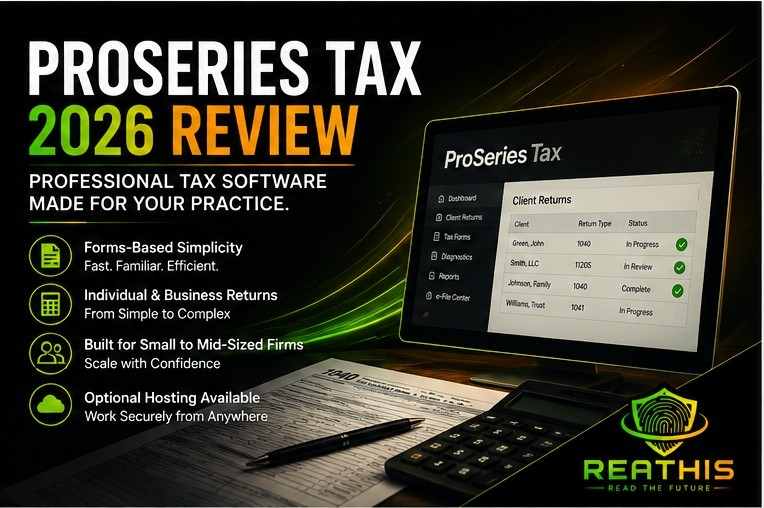
- ProSeries Tax is best suited to many solo, small, and midsize U.S. tax practices that want professional tax capability with a familiar forms-based preparation workflow.
- Intuit positions ProSeries around simple forms-based screens and direct access to calculation details, while it positions Lacerte more heavily toward complex returns and multiple preparers. That makes return complexity an important factor when choosing between the two Intuit products.
- ProSeries Professional serves firms preparing both individual and major business returns, while ProSeries Basic targets simpler individual-return practices. Firms should choose the edition according to their actual return mix rather than comparing ProSeries through one advertised price.
- ProSeries remains desktop tax software, although firms can use optional hosting for remote access. The software decision and the hosting decision should therefore be evaluated separately: one determines the tax workflow, while the other determines where and how staff access the application.
- ReaThis considers ProSeries strongest when a firm values forms-based preparation and handles mostly routine to moderately complex professional tax work. Firms whose revenue increasingly depends on complex partnerships, trusts, estates, multi-state entities, or review-intensive engagements should also evaluate Lacerte, CCH Axcess Tax, or another deeper professional platform.
Introduction
ProSeries occupies an interesting position in professional tax software. It needs enough depth to handle real CPA-firm work, but Intuit does not position it as the company’s deepest solution for complex, high-volume tax departments. Instead, the company emphasizes forms-based preparation, calculation visibility, straightforward workflows, and small-to-midsize firm fit.
That makes ProSeries easier to evaluate when a firm begins with its actual return portfolio. A practice preparing individual returns, ordinary S corporations, partnerships, corporations, fiduciary returns, nonprofit returns, and related work may find that ProSeries covers its requirements without forcing staff into a more sophisticated environment than they need.
However, firms should separate the tax-software decision from the hosting decision. ProSeries remains a Windows application, while Intuit’s optional hosting simply changes where that application runs. ReaThis covers that infrastructure question separately; this review focuses on whether ProSeries itself is the right tax-preparation platform.
Key Takeaways
- Intuit positions ProSeries for small to midsize firms, while Lacerte targets more complex and high-volume tax work.
- ProSeries Professional supports both individual and major business returns, while Basic focuses primarily on individual 1040 work.
- Pricing offers several entry points: Professional Pay-Per-Return starts at $539 per year, Professional starts at $2,605 for unlimited 1040s, and Basic currently starts at $729 for 20 1040s.
- Forms-based data entry remains central to the product’s appeal, especially for preparers who prefer working close to the return itself.
- Complexity should determine when a firm outgrows ProSeries, not firm size or return count by themselves.
How We Evaluated: ReaThis reviewed current Intuit ProSeries product documentation, tax-year 2026 pricing, return coverage, product editions, deployment options, independent AICPA survey data, and current user-review patterns. We did not conduct controlled hands-on testing against competing tax applications, so this review separates documented features, outside user evidence, and ReaThis analysis.
What Is ProSeries Tax?
ProSeries is Intuit’s professional tax preparation software for paid preparers and accounting firms. ProSeries Professional supports both individual and business returns, including major forms such as 1040, 1040-NR, 1041, 1120, 1120-S, 1065, 990, 706, and 709.
Unlike Lacerte’s more input-sheet-oriented complex-return positioning, ProSeries emphasizes a forms-based framework. Intuit says the interface gives preparers a familiar way to enter information and provides direct visibility into calculations.
That design can lower the conceptual distance between the tax return a professional understands and the software used to prepare it. For a small firm with staff who think naturally in forms and schedules, that familiarity can create real efficiency.
ProSeries Professional vs. ProSeries Basic
One of the most important buying decisions happens before a firm compares ProSeries with another vendor: it needs to choose the correct ProSeries edition.
ProSeries Basic targets solo preparers who primarily file individual returns. Intuit currently sells bundles of 20, 50, or unlimited 1040s, and Basic uses single-user access.
ProSeries Professional expands the platform into individual and business returns and supports multi-user configurations. Current Professional packages can include forms such as 1120, 1120-S, 1065, 1041, 990, 706, and 709, depending on the package selected.
That distinction matters because “ProSeries pricing” means very little without specifying the edition and return mix. A one-person 1040 practice and a five-preparer full-service firm are buying materially different configurations.
ProSeries Pricing in 2026
Intuit currently publishes several tax-year 2026 buying paths. Professional Pay-Per-Return starts at $539 per year, providing Professional software access while charging for returns as they are filed. ProSeries Basic starts at $729 per year for 20 1040s, while ProSeries Professional’s 1040 Essentials configuration currently starts at $2,605 per year with unlimited federal and state 1040 returns and business returns purchased separately.
Intuit also lists ProSeries Essentials at $3,641 per year during the current promotion, with 200- or 400-return individual/business bundles and unlimited state returns. ProSeries Advanced, which targets higher-volume firms needing unlimited business returns, requires contacting Intuit for pricing.
| Current Option | General Fit | Current Starting Structure |
|---|---|---|
| Professional Pay-Per-Return | Lower/unpredictable volume | $539/year + return charges |
| Basic 1040 | Solo 1040-focused preparers | $729/year for 20 1040s |
| 1040 Essentials | 1040-heavy full-service firms | $2,605/year; business PPR |
| ProSeries Essentials | Regular individual + business volume | $3,641/year promotional starting point |
| ProSeries Advanced | High individual + business volume | Quote required |
These prices were verified on August 17, 2026, but Intuit currently displays promotional discounts, so firms should compare normal renewal economics and exact package terms rather than choosing from the temporary sale price alone.
Why the Forms-Based Workflow Matters
Software buyers often describe interfaces as either easy or difficult, but that oversimplifies professional tax preparation. A forms-oriented interface can feel immediately natural to preparers who already know where values belong on a return, while another professional may prefer a structured input-sheet approach such as Lacerte.
Intuit explicitly emphasizes forms-based data entry as one of ProSeries’ core strengths. The company also promotes direct access to calculation details so preparers can understand how amounts reached the return.
Current independent review sentiment broadly supports the ease-of-use positioning. Capterra’s recent summary says 95% of the reviews it analyzed were positive and that reviewers frequently identified navigation and clear layouts as benefits.
That evidence still does not prove every CPA will find ProSeries intuitive. Firms should test their own complex and routine returns because familiarity with tax forms, prior software experience, and staff training heavily influence perceived usability.
Business Returns Separate Professional From Basic
A firm that handles more than individual returns should pay particular attention to ProSeries Professional. Intuit’s current Professional configurations include support for major entity and fiduciary return types such as 1120, 1120-S, 1065, 1041, 990, 706, and 709.
That breadth makes ProSeries more than an individual-return product, but form availability alone does not make it equivalent to Lacerte for every sophisticated engagement. Intuit itself continues to separate the two by positioning Lacerte around complex, high-volume returns and ProSeries around streamlined small-to-midsize firm workflows.
For most firms, the relevant question is therefore not “Can ProSeries file this return?” but “How efficiently can our preparers and reviewers handle the level of complexity we routinely encounter?”
Additional Workflow Tools
ProSeries Professional includes more than basic tax data entry. Current pricing documentation lists K-1 import, Client Analyzer, digital signatures and knowledge-based authentication, and unlimited 1099 and W-2 filing in applicable Professional packages.
Intuit also offers Intuit Link for encrypted client-document collection, Quick Employer Forms, and Fixed Asset Manager around the ProSeries workflow.
Each tool should be evaluated according to how much surrounding software it can actually eliminate. A firm already committed to another portal, fixed-asset platform, e-signature provider, and document system may gain less from the Intuit ecosystem than a practice trying to consolidate those processes.
What Professional Preparers Say About ProSeries
ProSeries remains a widely used professional product. In The Tax Adviser’s 2025 survey of 2,011 AICPA members who prepared returns for a fee, 10.5% used ProSeries. The survey also observed that ProSeries and Drake were particularly common among sole practitioners.
That finding aligns with Intuit’s current small-to-midsize positioning. It suggests ProSeries has meaningful professional adoption without implying that it dominates every segment of the market.
The same survey found that 75.4% of ProSeries users said they had not received training from the software provider, one of the highest percentages among the products surveyed. That result does not establish that ProSeries lacks training resources or that users require training, but firms planning a migration should still decide how staff will learn the application instead of assuming familiarity with tax forms makes formal onboarding unnecessary.
ProSeries Hosting Is a Separate Decision
ProSeries remains desktop software, although Intuit offers optional Rightworks-powered hosting. Intuit’s current documentation says Professional supports hosted configurations and that Basic hosting is limited to the Solo hosting plan on its main ProSeries page. It also requires a separate ProSeries Network License when an Intuit-hosted account has two or more users.
Hosting can make ProSeries easier to access across offices or remote locations, but it does not change the underlying tax application’s strengths and limitations.
That distinction matters for ReaThis because firms should evaluate ProSeries Tax and ProSeries Hosting as two related but separate purchasing decisions. A firm can like ProSeries while disliking a particular hosting architecture, or choose excellent hosting for software that no longer fits its tax workflow.
When ProSeries Begins to Feel Too Small
A firm does not automatically outgrow ProSeries because it hires its tenth employee or prepares its thousandth return. Volume alone can be handled in several ways. Complexity usually creates the stronger signal.
If a growing share of revenue comes from complicated partnerships, multi-state structures, high-net-worth engagements, estate and trust work, or returns that demand more sophisticated diagnostics and reviewer control, the firm should compare Lacerte, UltraTax CS, or CCH Axcess Tax.
The cost calculation should include senior-reviewer time. If deeper software saves experienced reviewers hours across hundreds of complicated returns, the premium may pay for itself. If most returns remain straightforward, upgrading to a more complex platform can create cost and training without enough operational return.
ProSeries vs. Lacerte, Drake Tax, and CCH Axcess Tax
| Product | Strongest Fit | Main Strength | Main Tradeoff |
|---|---|---|---|
| ProSeries | Small/midsize full-service firms | Forms-based workflow and Intuit ecosystem | Less focused on deepest complex work |
| Lacerte | Complex/high-volume firms | Diagnostics and advanced tax depth | Higher cost and desktop architecture |
| Drake Tax | Value-oriented firms | Pricing and practical professional coverage | Less enterprise-focused ecosystem |
| CCH Axcess Tax | Cloud-platform firms | Cloud architecture and broad CCH integration | Cost and implementation complexity |
Intuit explicitly distinguishes ProSeries and Lacerte by firm workflow and complexity, while Wolters Kluwer differentiates Axcess through its cloud-native platform.
The best product depends less on brand ranking than on how the firm’s work is distributed between simple, moderate, and highly complex returns.
The ReaThis ProSeries Fit Test
Start by dividing the firm’s returns into three groups: routine individual work, ordinary business/fiduciary work, and genuinely complex engagements. Then calculate how much revenue and senior-review time each group consumes. A practice that earns most of its money from the first two groups may find ProSeries exceptionally well matched even if a few difficult returns require more effort.
Next, test both preparation and review. A partner who knows the software well can make almost any mature platform appear efficient. Include staff with different experience levels and measure how long they need to prepare, diagnose, review, correct, sign, and file representative returns.
Finally, model three-year cost. Include software, return charges, users, Network Licensing where applicable, hosting if required, training, migration, companion applications, and staff productivity. The software with the lowest advertised starting price does not always produce the lowest operating cost.
Pros and Cons of ProSeries Tax
Advantages
ProSeries offers a familiar forms-based workflow, several purchasing models, support for major individual and business return types in Professional, multi-user eligibility in the appropriate packages, and connections to Intuit tools for signatures, client documents, W-2/1099 processing, fixed assets, and optional hosting. Its positioning fits many solo, small, and midsize professional practices particularly well.
Limitations
Firms with substantial complex-return work may eventually gain more from Lacerte or another deeper professional platform. Basic also carries meaningful limitations compared with Professional, including its individual-return focus and single-user model. Finally, ProSeries remains desktop software, so firms pursuing a fully cloud-native tax stack need to distinguish optional hosting from a true browser-based application architecture.
Frequently Asked Questions
Yes. ProSeries can fit small and midsize CPA and tax firms particularly well when they prepare a mixture of individual and common business returns and value forms-based preparation. Intuit itself currently positions ProSeries for small to midsize professional firms.
ProSeries Basic primarily targets solo preparers filing individual 1040 returns and uses single-user access. Professional supports individual and major business return types and offers multi-user eligibility in applicable packages.
ProSeries Professional supports major business and related return types including Forms 1120, 1120-S, 1065, 1041, 990, 706, and 709 depending on the selected package.
ProSeries remains desktop tax software. Intuit offers optional Rightworks-powered hosting for remote access, but hosted ProSeries remains the Windows application running in a remote environment rather than becoming browser-native SaaS.
Final Recommendation
ProSeries Tax deserves serious consideration from solo practitioners and small to midsize CPA firms that want professional tax capability without automatically stepping into the complexity and economics of Lacerte or an enterprise platform. Its forms-based workflow, broad Professional return coverage, flexible pricing, Intuit tools, and established professional user base give it a clear position in the market.
The strongest reason to move beyond ProSeries appears when the firm’s work changes rather than when the firm simply grows. If complex partnerships, trusts, estates, multi-state entities, sophisticated review requirements, or enterprise integration increasingly drive revenue, deeper software may create more value. Otherwise, ProSeries can remain the better platform precisely because it does not force a straightforward tax practice to buy more complexity than it needs.